Having an effective Cloudflare scraper opens a whole new world of public data that you can extract with automated connections. Because basic scrapers fail to utilize dynamic fingerprinting methods and proxy rotation, they cannot access many protected platforms due to rate limits, IP blocks, and CAPTCHA challenges.
In this guide, we try to help small businesses, developers, and freelancers to reliably fetch pages protected by Cloudflare using our beginner-friendly HTML API. Here, we will explain the common JavaScript rendering challenges, device fingerprinting issues, and how our Python SDK resolves them under the hood through the provided API parameters. Follow the steps to build a small, testable proof of concept before scaling.
Quick Answer (TL;DR)
Use our web scraping API to simplify JavaScript rendering, stealth proxy rotation, and Cloudflare bypassing. Add a short js_scenario wait, enable stealth_proxy=True, and optionally set country_code for geo-targeting. Start by testing a single URL and verifying that the rendered HTML contains real page content before scaling your scraper:
from typing import Optional

from scrapingbee import ScrapingBeeClient
from requests.exceptions import RequestException

client = ScrapingBeeClient(api_key="YOUR_API_KEY")


def fetch_yelp_page(url: str) -> Optional[str]:
    js_scenario = {
        "instructions": [
            {"wait": 2000},
        ]
    }

    try:
        response = client.get(
            url,
            params={
                "js_scenario": js_scenario,
                "stealth_proxy": True,
                "country_code": "us",
                "block_resources": False,
            },
        )

        print(f"STATUS CODE: {response.status_code}")

        if not response.ok:
            print("Request failed.")
            return None

        html = response.text
        print(f"HTML length: {len(html)}")

        return html

    except RequestException as e:
        print(f"Request error: {e}")
        return None


url = "https://www.yelp.com/search?find_desc=Restaurants&find_loc=Miami%2C+FL%2C+United+States"

html = fetch_yelp_page(url)
What Is a Cloudflare Scraper?
A Cloudflare web scraper is any scraper tool or setup designed to extract data from sites protected by Cloudflare’s anti‑bot measures.
Basic scrapers often fail because Cloudflare analyzes browser behavior, JavaScript execution, cookies, request headers, IP reputation, and network fingerprints. Primitive web scrapers that do not behave like a real browser are often flagged and blocked.
A robust Cloudflare scraper mimics genuine browser behavior through realistic headers, browser-grade TLS fingerprints, cookie handling, and JavaScript execution. It also might rely on a scraping API that manages these challenges under the hood, like our HTML API. It removes the most complicated parts of data collection, allowing you to focus on data analysis and its implementation for your use cases. For more information about similar obstacles, check out our blog on Web Scraping Challenges.
Why Cloudflare Blocks Scrapers
Many websites use Cloudflare to reduce the amount of malicious bot traffic connecting to the platform. When you try to fetch such a site with a simple HTTP client, you may get blocked, challenged, or receive a JavaScript interstitial page instead of the real content.
If your scraper sends too many requests too quickly, uses suspicious IP addresses, or skips important browser behavior like JavaScript execution, Cloudflare steps in. It may show a challenge page, block the request, or trigger a CAPTCHA.
One of Cloudflare’s main defenses is fingerprinting. It checks technical details like browser headers, TLS settings, and how JavaScript runs. If something doesn’t match normal browser parameters, it will flag your request.
Fortunately, our API implements techniques designed to bypass common bot detection systems, including browser emulation and automatic proxy rotation. By implementing our tools and applying available parameters, you will be able to bypass many anti-bot systems.
Common Mistakes Developers Make
When developers try to build a web scraper that acts like a real web browser, static scraping tools struggle to bypass Cloudflare and collect data from dynamically loaded pages.
One common mistake is using static headers or copying browser headers without adjusting for each session. This can create mismatches that make the request look automated.
Running scraper traffic through your main IP address is risky, but relying on free proxy servers is not much better. Many free proxies are overused, unreliable, blacklisted, or operated by untrusted third parties.
Your scraper may fail if it ignores JavaScript challenges or CAPTCHA flows. Tools like Python’s requests or curl cannot execute JavaScript challenges or interact with CAPTCHA flows on their own.
Attempting to scrape too quickly from a single IP address is another common mistake, leading to blocks or rate limiting. Rotating proxies help distribute requests across multiple IP addresses, reducing the chance of triggering Cloudflare rate limits or bot challenges.
By understanding these issues, we can show how a simple web scraping script automatically manages headers, user agents, cookies, and proxy rotation to improve access reliability when scraping protected websites.
How to Scrape Cloudflare-Protected Sites With ScrapingBee
Let's create a basic web scraping script using our API to extract data from Yelp, a website that uses Cloudflare bot detection to limit web access for real user connections. Follow these steps or copy the full code and tweak it to match your use cases.
Step 1: Get Your ScrapingBee API Key
Before we start working on the script, make sure you have the following tools and libraries installed on your device:
Python. Version 3.8+, available via Microsoft Store, Linux package managers, or straight from the website: Python.org.
A ScrapingBee account. Register a new account to enjoy a free trial of 1,000 API credits or check ScrapingBee Pricing for long-term deals.
ScrapingBee Python SDK. An external Python library that combines basic scraping tools with JavaScript Rendering, proxy management, and other customizable features to bypass Cloudflare bot detection.
After installing Python, you can set up its external libraries with one line using its package manager pip. Go to Command Prompt (or Terminal for Linux users) and enter the following line:
pip install scrapingbee
Before we start working on the script, log in to your account to retrieve the API key from the dashboard:
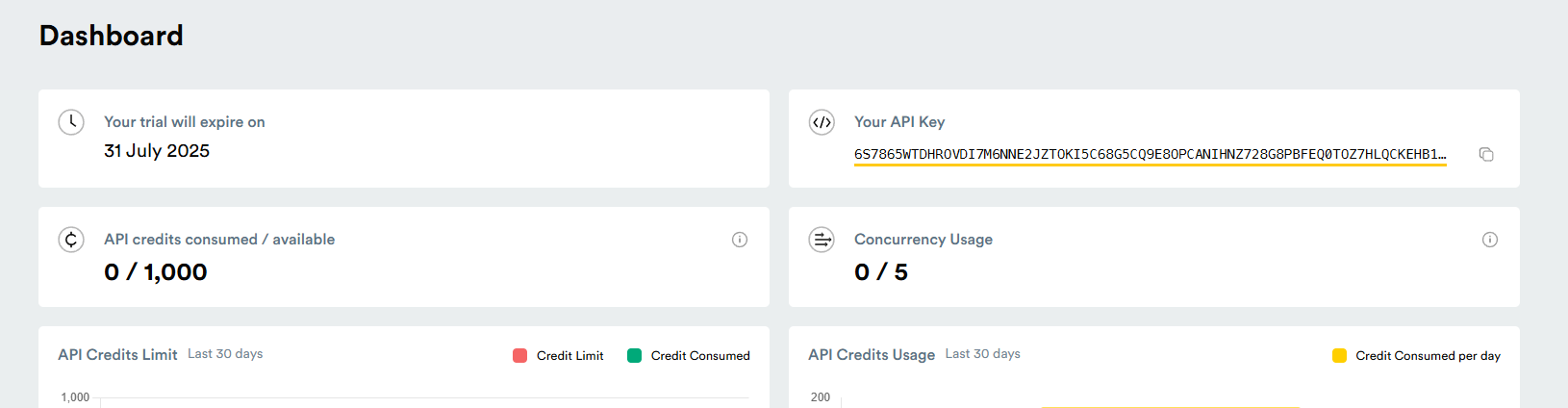
Now you can create a designated folder for your web scraping project. In it, make a text file with a .py extension and open it with a text editor of your choice.
Note: We recommend Visual Studio Code because it provides syntax highlighting, autocomplete, and inline error detection.
Step 2: Make Your First Request
First, start your script by importing the downloaded libraries to enable our Python SDK in your Python script:
from typing import Optional

from requests.exceptions import RequestException
from scrapingbee import ScrapingBeeClient
Then, create a "client" variable which will connect your code to our HTML API. In the parentheses, paste in your API key copied from the dashboard.
client = ScrapingBeeClient(api_key='YOUR_API_KEY')
Before we start working on the function that contains our scraping logic, create a URL variable. You can dynamically build the target URL based on user input or search parameters. In our example, we are targeting a Yelp page with the best restaurants in Miami:
TARGET_URL = (
    "https://www.yelp.com/search?"
    "find_desc=Restaurants&find_loc=Miami%2C+FL%2C+United+States"
)
Now we can begin defining the function. In it, we create a js_scenario variable that can handle specific instructions to define browser automation steps and delays for JavaScript-heavy pages. Let's make it wait for 2 seconds for the headless browser to load the page before extracting its content.
def yelp_scraper(url: str) -> Optional[str]:
    js_scenario = {
        "instructions": [
            {"wait": 2000}
        ]
    }
Let's define our GET API call by assigning its result to the "response" variable. Here we assign our "js_scenario" variable and additional parameters to bypass Cloudflare bot protection:
render_js=True (enabled by default) – Loads the page in a headless browser and executes JavaScript before returning the HTML. This helps with JavaScript-heavy pages and browser-side checks.
block_resources=False (optional) – Loads images and CSS instead of blocking them. This can help if the target page or challenge depends on resources that are otherwise blocked by default.
stealth_proxy=True – Uses ScrapingBee’s stealth proxy pool for harder-to-scrape websites. This option works only with JavaScript rendering enabled and costs more credits, so use it when standard requests are not enough.
country_code=XX – Selects a proxy from a specific country, useful for avoiding region-specific Cloudflare rules or accessing geo-restricted content.
After adding parameters that are not enabled by default, our variable responsible for the GET API call should look like this:
try:
    response = client.get(
        url,
        params={
            "js_scenario": js_scenario,
            "stealth_proxy": True,
            "country_code": "us",
            "block_resources": False,
        },
    )

    print(f"STATUS CODE: {response.status_code}")

    if not response.ok:
        print("Request failed.")
        return None

    return response.text

except RequestException as error:
    print(f"Request error: {error}")
    return None
If you encounter any issues or lack coding experience, check out our blog on Python Web Scraping. Now all we need to do is print out the result and HTTP status code (HTTP status code 200 usually indicates success) to know what problem to address if the connection fails. After that, we can finish the script by invoking the defined function:
html = yelp_scraper(TARGET_URL)

if html:
    print(f"HTML length: {len(html)}")
    print(html[:1000])
And here's the full code:
from typing import Optional

from requests.exceptions import RequestException
from scrapingbee import ScrapingBeeClient


client = ScrapingBeeClient(api_key='YOUR_API_KEY')

TARGET_URL = (
    "https://www.yelp.com/search?"
    "find_desc=Restaurants&find_loc=Miami%2C+FL%2C+United+States"
)


def yelp_scraper(url: str) -> Optional[str]:
    js_scenario = {
        "instructions": [
            {"wait": 2000}
        ]
    }

    try:
        response = client.get(
            url,
            params={
                "js_scenario": js_scenario,
                "stealth_proxy": True,
                "country_code": "us",
            },
        )

        print(f"STATUS CODE: {response.status_code}")

        if not response.ok:
            print("Request failed.")
            return None

        return response.text

    except RequestException as error:
        print(f"Request error: {error}")
        return None


html = yelp_scraper(TARGET_URL)

if html:
    print(f"HTML length: {len(html)}")
    print(html[:1000])
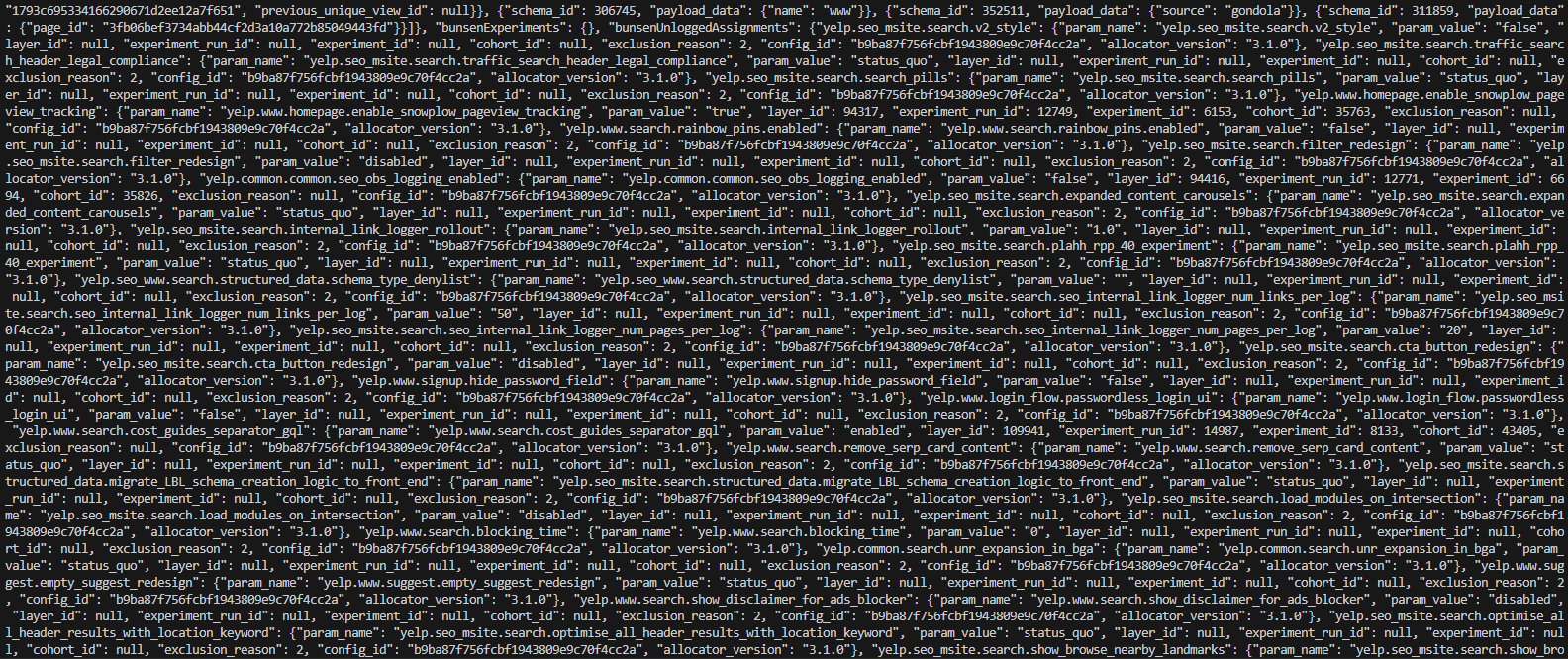
If the request succeeds, the output should contain the rendered HTML returned from the Cloudflare-protected page.
Step 3: Handle JavaScript Challenges and CAPTCHA Triggers
Most Cloudflare-protected sites use JavaScript challenges, browser fingerprinting, IP reputation, and behavior signals to check whether a visitor looks legitimate. If your scraper does not execute JavaScript or behave like a real browser session, Cloudflare may return a challenge page, block the request, or trigger a CAPTCHA.
That’s why JavaScript rendering and stealth_proxy=True are useful. JavaScript rendering helps dynamic content and browser-side checks load correctly, while stealth proxies route requests through browser-like sessions. You can also use country_code when the target site behaves differently by region.
Treat CAPTCHAs as a sign that your scraper is being challenged too aggressively. Test one URL first, inspect the returned HTML, and log the status code, response length, and page content. If you still see a challenge or CAPTCHA page, slow down, adjust the proxy location, and avoid repeating the same request pattern.
Here is a small helper you can add to the previous script to detect obvious challenge pages before treating the response as successful:
def looks_like_challenge_page(html: str) -> bool:
    challenge_markers = [
        "cf-chl",
        "cloudflare",
        "checking your browser",
        "captcha",
        "turnstile",
        "verify you are human",
    ]

    html_lower = html.lower()
    return any(marker in html_lower for marker in challenge_markers)
Then update the success block inside yelp_scraper():
html = response.text

if looks_like_challenge_page(html):
    print("The response may contain a Cloudflare challenge or CAPTCHA page.")
    return None

return html
This check is intentionally simple. It will not catch every anti-bot response, but it gives you a useful first warning before you parse incomplete or blocked HTML as if it were real page content.
Advanced Tips for Cloudflare Scraping
For better results on protected websites, avoid sending identical requests with the same timing, IP location, and browser profile. Cloudflare may challenge requests that look automated, especially when many of them come from the same IP address or repeat the same pattern too quickly.
When using ScrapingBee, let the API handle browser-like behavior instead of manually forcing random headers or cookies. This is especially important with stealth_proxy=True, because custom headers and cookies are not supported with that option.
Add short waits in your js_scenario, avoid aggressive request bursts, and increase traffic gradually only after confirming that the returned HTML contains the expected page content.
Use Stealth Proxies and Geotargeting
For harder-to-scrape websites, use stealth_proxy=True together with country_code when location affects access or page content. Stealth proxies support geolocation, so setting both parameters lets you route requests through proxy IPs from a selected country.
Keep in mind that stealth_proxy=True currently works only when JavaScript rendering is enabled. Each successful API call with this option also costs more credits, so use it for protected pages where standard requests are not enough.
Without stealth proxies, protected sites are more likely to return blocks, challenges, or rate-limit responses such as 403 or 429. For example, here is an output of our script without the stealth_proxy parameter:

Here is the cleaned-up parameter block used in this tutorial:
params = {
    "js_scenario": js_scenario,
    "stealth_proxy": True,
    "country_code": "us",
}
If you want to keep the code reusable, wrap the parameters in a small helper function:
from typing import Any


def build_scrapingbee_params(country_code: str = "us") -> dict[str, Any]:
    return {
        "js_scenario": {
            "instructions": [
                {"wait": 2000},
            ]
        },
        "stealth_proxy": True,
        "country_code": country_code,
    }
Then pass it into the request:
response = client.get(
    url,
    params=build_scrapingbee_params(country_code="us"),
)
Other Ways to Bypass Cloudflare
ScrapingBee is not the only way to access Cloudflare-protected pages. You can also use archived pages, fortified headless browsers, Cloudflare solver tools, or fully custom anti-bot logic. These methods can work, but they usually require more setup, proxy management, and ongoing maintenance.
Scrape an Archived Version
If the target page does not change often, you may be able to collect the data from an archived copy instead of scraping the live Cloudflare-protected site. This works best for historical data, static pages, or pages where slightly older content is acceptable.
Google Cache is no longer a reliable option, since Google retired its cached page feature. A better alternative is the Internet Archive Wayback Machine, which stores historical snapshots of many public web pages.
For example, instead of scraping the live version of https://www.g2.com/, you can check whether archived snapshots are available in the Wayback Machine and scrape a suitable archived version.
Keep in mind that archived pages may be outdated, incomplete, or unavailable if the site blocks archiving or if no snapshot exists.
Use Fortified Headless Browsers
Headless browsers such as Selenium, Puppeteer, and Playwright are built mainly for testing and browser automation, not large-scale scraping. Out of the box, they can expose automation signals that anti-bot systems detect. One common example is the navigator.webdriver property, which indicates whether the browser is controlled by automation.
To reduce these signals, developers often use patched or stealth-focused tools:
| Tool | Common option | Notes |
|---|---|---|
| Selenium | undetected_chromedriver or NoDriver | Helps reduce Selenium/WebDriver fingerprints. NoDriver avoids the traditional WebDriver layer. |
| Puppeteer | Puppeteer Extra with stealth plugins | Adds stealth-focused patches, but you still need to manage proxies, retries, and browser infrastructure. |
| Playwright | Playwright stealth wrappers | Can reduce obvious automation signals, but reliability depends heavily on the target website and setup. |
Use Cloudflare Solver Tools
Some developers use dedicated Cloudflare solver tools instead of managing browser automation directly.
Cloudscraper is a Python module designed to handle older Cloudflare anti-bot and “I'm Under Attack Mode” pages. It is lightweight, but may struggle with newer browser fingerprinting and JavaScript-heavy challenges.
FlareSolverr works as a local proxy server that launches a browser, waits for the challenge to complete, and returns the resulting HTML and cookies. It can be useful for self-hosted workflows, but it adds infrastructure overhead and can be slower than direct API-based scraping.
Reverse-Engineer Anti-Bot Signals
The most advanced option is to reverse-engineer the anti-bot signals Cloudflare uses to decide whether a visitor is human or automated. This usually means studying passive checks, such as IP reputation, headers, TLS fingerprints, and request patterns, as well as active checks, such as JavaScript execution, browser APIs, Turnstile verification, canvas fingerprinting, and user interaction signals.
This approach can work, but it is difficult to build and even harder to maintain. Anti-bot systems change constantly, and any workaround that becomes common can be detected and patched.
If you go this route, focus on consistency instead of random spoofing. Your headers, user agent, browser behavior, TLS fingerprint, proxy location, and JavaScript environment should all match the same realistic browser profile. You should also keep request rates reasonable and monitor challenge pages instead of treating every 200 response as successful scraping.
Downsides of DIY Cloudflare Bypass
DIY Cloudflare bypass methods are useful for experiments, but they become harder to maintain at scale. The main trade-offs are more setup, unstable success rates across websites, higher resource usage from running browsers, manual proxy rotation, and more debugging when Cloudflare changes its detection rules.
For production scraping, a managed scraping API is usually easier to maintain because browser rendering, proxy rotation, retries, and anti-bot handling are managed for you.
Cloudflare Blocking Errors and Response Codes
If you’ve tried scraping a site protected by Cloudflare, you may have encountered some of the following Cloudflare 1XXX errors. These errors often appear in the HTML body of the response instead of the expected page content.
| Error | What it means | Common cause | What to check |
|---|---|---|---|
| Error 1005 Access denied | The ASN associated with your network is banned. | The site blocks traffic from your hosting provider, proxy network, VPN, or another ASN-level source. | Try a different proxy source, avoid low-quality shared IP ranges, or use a reliable web scraping API with better proxy management. |
| Error 1015 Rate limited | Your scraper is being rate limited. | Too many requests were sent within a short period. | Slow down request frequency, add delays, reduce concurrency, and avoid repeating the same request pattern from one IP. |
| Error 1009 Country or region blocked | Access is denied because your IP location is blocked. | The site blocks traffic from the country or region where your IP address is located. | Use geotargeting carefully and select a proxy location that matches the target website’s allowed regions. |
| Error 1020 Firewall rule | Access is denied by a Cloudflare firewall rule. | Your request matched a security rule configured by the website owner. | Inspect request behavior, slow down aggressive scraping, avoid suspicious fingerprints, and verify that the returned HTML is not a block page. |
| Error 1010 Browser signature | Access is denied because the browser signature looks suspicious. | Your scraper, browser automation tool, or headless browser leaves a detectable fingerprint. Tools like Selenium, Puppeteer, or Playwright can be detected through Cloudflare's JavaScript detection. | Use browser-like sessions, JavaScript rendering, and stealth proxy settings instead of basic HTTP requests with static headers. |
Start Scraping Cloudflare-Protected Websites Today
Scraping Cloudflare-protected websites is easier when you use the right setup. ScrapingBee handles JavaScript rendering, headless browsers, and proxy management, while stealth proxies can improve access reliability on harder targets.
Sign up today and test the API with a free trial of 1,000 credits. Start with one URL, confirm that the returned HTML contains the content you need, and then scale gradually while monitoring status codes, response length, and challenge pages.
Frequently Asked Questions (FAQs)
Can I bypass Cloudflare with Python requests?
Sometimes a simple requests script can fetch pages behind Cloudflare if no challenge is triggered. However, plain requests cannot execute in-page JavaScript or reproduce a full browser session, so it often fails on sites that use stronger Cloudflare bot checks. ScrapingBee handles JavaScript rendering, proxies, and browser-like behavior through the API, so you can focus on parsing the returned HTML.
Does ScrapingBee solve Cloudflare CAPTCHAs?
ScrapingBee can help reduce and handle many Cloudflare challenges by using JavaScript rendering, proxy rotation, and browser-like sessions. However, not every CAPTCHA or Turnstile challenge can be bypassed automatically. If your response still contains a challenge page, reduce request frequency, adjust proxy settings, and verify the returned HTML before parsing it.
How does ScrapingBee handle JavaScript on Cloudflare sites?
ScrapingBee can render JavaScript in a headless browser before returning the page HTML. You can also use js_scenario instructions to wait, click, scroll, or interact with page elements before extraction. This helps retrieve content that would not appear in the initial static HTML response.
What are the most common Cloudflare error codes when scraping?
The most common Cloudflare blocking errors are:
- 1005 — the network or ASN is banned.
- 1009 — the country or region is blocked.
- 1010 — the browser signature looks suspicious.
- 1015 — the request is being rate limited.
- 1020 — the request matched a firewall rule set by the website owner.
Is it legal to scrape Cloudflare-protected sites?
Scraping is not automatically illegal just because a site uses Cloudflare. However, legality depends on your location, the website’s terms of service, whether the data is public or behind login, how aggressively you scrape, and what kind of data you collect. Always avoid private, copyrighted, or personal data unless you have a clear legal basis, and consult legal counsel for commercial use cases.

Kevin worked in the web scraping industry for 10 years before co-founding ScrapingBee. He is also the author of the Java Web Scraping Handbook.