The best rotating proxies are one of the most effective solutions for web scraping because they help avoid blocks by routing requests through trusted IPs that change automatically. Residential proxies use real user IP addresses, which makes them harder for websites to detect than datacenter proxies. Rotating proxies add another layer of protection by switching IPs for each request through a backconnect system.
Providers build these networks in different ways. Some rely on peer-to-peer bandwidth sharing, others use SDKs such as the Bright SDK, and some rent unused ISP bandwidth through networks like Divi+. That's also why ISP proxies can be a strong option when you need residential IP reputation with datacenter-level performance.
If you want to use the best rotating proxies in code, you can learn how to configure Python Requests with proxies. If you're still comparing options, check our guide on choosing a proxy API for scraping.

Quick Answer: Best Rotating and Residential Proxies for Web Scraping
Rotating residential proxies help avoid blocks by routing requests through real user IPs and refreshing those IPs regularly. In my experience, ScrapingBee stands out as the easiest managed option because it combines proxy rotation, JavaScript rendering, and simple request-based pricing. Bright Data and Oxylabs are stronger fits for teams that need large proxy networks and advanced targeting, while providers like Decodo, SOAX, and NetNut offer solid alternatives depending on budget, session control, and scale.
If you're choosing a provider, focus on ethical IP sourcing, pricing model, geo-targeting, session control, and how much scraping infrastructure you want to manage yourself.
- ScrapingBee — moderately priced for what it replaces; best for smaller teams and straightforward projects that want less scraping infrastructure to manage; not the right fit if you need raw rotating proxies or low-level routing control.
- Bright Data — expensive for many common use cases, but strong at scale; best for larger teams that need granular targeting, multiple proxy types, and more control on harder scraping jobs; not ideal if you want a simpler setup or tighter cost control.
- Oxylabs — premium-priced, but reliable; best for teams that want stable rotating residential proxies, broad geo coverage, and responsive support for ongoing workflows; harder to justify for smaller teams or lighter usage.
- Zyte — moderately to highly priced depending on usage; best for teams that want to reduce scraping maintenance and offload proxy rotation, ban handling, and part of the unblocking work; less attractive if you want simple billing or full control over routing and debugging.
- Decodo — one of the more approachable self-serve options on price; best for smaller teams, self-serve users, and regular scraping jobs that need a quick start without a heavy platform; less suitable for unusually demanding or highly customized setups.
- SOAX — not the cheapest entry point, but strong on control; best for teams that care about session behavior, targeting flexibility, and more deliberate proxy configuration; less compelling if the goal is the lowest-cost, simplest setup.
- NetNut — more expensive and more operations-focused; best for larger, long-running scraping workloads that need speed, reliability, and several proxy types under one account; not the most natural fit for lower-cost or lightweight use cases.
- Infatica — mid-range on a per-GB basis and business-oriented overall; best for teams that want broad coverage and useful controls for recurring proxy use without stepping into a heavier enterprise setup; less appealing for first-time or non-technical users.
- Nimble — priced more like a managed platform than a simple proxy service; best for teams that want APIs and built-in tooling, not just proxy access; harder to justify if you mainly want a simpler or cheaper proxy purchase.
- IPRoyal — reasonably approachable for smaller teams and intermittent use, even if its visible self-serve residential pricing is not the cheapest on a per-GB basis; best for regular scraping and geo-testing tasks that do not need a heavy platform; less reliable for very narrow location needs or strict large-volume coverage requirements.
Below, you'll find a side-by-side comparison of the main providers, including network size, geo coverage, entry pricing, and billing model.
| Provider | IP pool | Geo coverage | Public reliability metric | Entry pricing | Billing model |
|---|---|---|---|---|---|
| ScrapingBee | Millions (exact proxy count not disclosed) | Country-level geotargeting with premium proxies | 99% success rate | $19/mo | Request-based, $19/mo for 75,000 credits |
| Bright Data | 400M+ residential IPs | 195 countries | 99.95% success rate | PAYG or $499/mo | $4.00/GB PAYG (promo) or $3.50/GB committed |
| Oxylabs | 175M+ residential IPs | 195 countries | Avg. 99.95% success rate | $30/mo | $6.00/GB, $30/mo for 5 GB |
| Crawlera (Zyte) | Not disclosed | 200+ countries | Not publicly disclosed | PAYG or $100/mo | HTTP: $0.13–$1.27 per 1,000 successful responses PAYG; Browser: $1.01–$16.08 per 1,000 PAYG |
| Decodo | 115M+ residential IPs | 195+ countries | 99.86% success rate / 99.99% uptime | $11.25/mo or PAYG | $3.75/GB monthly or $4.00/GB PAYG |
| SOAX | 155M+ residential IPs | 195+ countries | 99.95% success rate | $90/mo | $3.60/GB, $90/mo for 25 GB |
| NetNut | 85M+ residential IPs | 195 countries | 99.99% uptime claim | $99/mo | $3.53/GB, $99/mo for 28 GB |
| Infatica | 35M+ residential IPs | 195+ countries | 99.9% uptime claim | $96/mo or PAYG | $3.84/GB monthly or $4.00/GB PAYG |
| Nimble | Not publicly disclosed | Country/state/city geotargeting | 99.9% performance average | $8/GB PAYG or $150/mo | Residential proxy pricing starts at $8/GB PAYG or $150/month for 150 credits ($7.50/GB); custom pricing, volume discounts, and bundled plans are also available |
| IPRoyal | 32M+ residential IPs | 195+ countries | 99%+ success rates | $7.00/GB self-serve | Residential self-serve pricing starts at $7.00/GB on subscription and $7.35/GB PAYG; custom enterprise residential pricing is also advertised from $1.75/GB |
(*) Pricing and plan details are based on publicly available starter plans or pay-as-you-go rates at the time of writing. Some providers charge by bandwidth, while others use request-based or custom pricing, so direct comparisons are not always exact.
Raw proxy setups can also come with hidden costs. With providers like Bright Data, Oxylabs, SOAX, NetNut, or other traditional proxy networks, you may still need browser automation infrastructure for tougher targets, along with the engineering time required to set up, maintain, and scale the scraping stack.
That extra overhead is one reason managed scraping APIs can be easier to justify, even when the proxy price alone looks higher at first glance.
10 Best Rotating Proxies and Rotating Residential Proxies Compared
ScrapingBee API — a managed alternative to traditional proxies
Rating: 4.9/5 (all review ratings in this article are sourced from G2 and were current at the time of writing — April 2026)
Best for: developers and teams that want a managed scraping API instead of handling rotating proxies themselves
Pricing: starts at $19/month (75,000 API credits), with a free trial (1,000 credits) to test the service
Description
If you are comparing the best rotating proxies for web scraping, ScrapingBee is a web scraping API, not a traditional proxy provider. It works more like a managed scraping API that can use residential proxies behind the scenes because it handles proxy rotation, browser management, and JavaScript rendering in one API.
That makes it a practical fit for teams that want results without building and maintaining a full proxy and headless browser stack.
Top features
- Built-in JavaScript rendering for sites built with React, Vue, Angular, and other modern frameworks
- Proxy rotation handled behind the API with premium proxy support (including geotargeting)
- AI-powered data extraction, so you can describe the data you need instead of writing CSS selectors
- Screenshot capture and structured extraction rules when you need more control
- Clear documentation, code examples, and responsive support
- Specialized endpoints such as the Fast Search API for search result scraping
What using it feels like in practice
In practice, ScrapingBee removes most of the setup work. You send a request and get a fully rendered page without managing proxies, browsers, or headless infrastructure.
This works well for tasks like SERP collection, SEO monitoring, or competitor tracking, where stability matters more than fine-tuned control. In my experience, setup is quick, integration is straightforward, and most of the ongoing effort shifts from infrastructure to handling edge cases when a target site behaves differently.
What I like
- Fast setup and simple integration
- Easier to work with than buying rotating proxies and managing browsers separately
- Good docs and developer-friendly API design
- Built-in rendering saves a lot of maintenance work
- A practical option for smaller teams that want to avoid managing scraping infrastructure
- Works well for SEO research, competitor monitoring, and search result scraping
What I don't like
- Credit-based pricing can scale quickly with JS rendering and premium proxies
- Concurrency limits can become a bottleneck at scale
- Less control compared to raw proxy providers
Customer sentiment
- Users usually talk about time saved. The biggest positives are fast integration, clear documentation, and not having to manage browsers, proxy rotation, or rendering on their own.
- The usual pushback is around credit usage at scale, concurrency limits, and the fact that tougher edge cases still need debugging when a target behaves differently.
Example reviews
- One user said their dev team integrated ScrapingBee in about two days and now uses it daily for internal monitoring across multiple client projects.
- Another reviewer praised the complete API documentation, broad proxy coverage, and solid request success rate, but said higher-volume pricing can feel rigid when unused requests do not roll over.
Verdict
ScrapingBee makes the most sense when the main problem is scraping upkeep, not getting fine-grained control over proxies.
It is a practical choice for smaller teams or straightforward projects that need rendered pages without running their own proxy and browser stack. If you need raw rotating proxies, lower-level routing control, or a fully custom setup, it is the wrong kind of tool.
💡 Need free proxies? Discover how to scrape fresh free public proxies with our AI-powered Web Scraping API.
1. Bright Data (formerly Luminati)
Rating: 4.7/5
Best for: large scraping projects that need deep geo-targeting and a strong option for hard-to-scrape sites
Pricing: Bright Data offers both pay-as-you-go pricing and monthly commitments. PAYG starts at $4/GB with the current discount, while the entry commitment plan starts at $499/month for 141 GB ($3.50/GB). Larger commitments lower the per-GB cost further.
Description
Bright Data is one of the biggest names in rotating residential proxies. It has a huge global network and a broader product stack than most providers in this category. It makes the most sense for large scraping jobs, hard-to-scrape sites, and teams that need precise control over targeting across countries, cities, carriers, ASNs, and ZIP codes.
Top features
- Large rotating residential proxy network with global coverage
- Country, city, carrier, ASN, and ZIP-level targeting
- Residential, ISP, mobile, and datacenter proxies
- Strong fit for hard-to-scrape sites and stricter anti-bot environments
- Proxy tools, network monitoring, documentation, and setup resources
- Extra scraping products, including automation and data collection tools
What using it feels like in practice
Bright Data gives you a lot more control than the usual plug-and-play proxy service. You can get very specific with targeting, routing, and session behavior, which is why it tends to work better for larger scraping systems and tougher targets where a basic rotating pool stops being enough.
The downside shows up just as fast. The platform is not hard in a raw technical sense, but it does expect you to know what you are buying and why. There are more moving parts, more choices, and more room to overshoot on cost or complexity if the job is actually pretty simple.
What I like
- Very precise targeting and routing controls for different scraping workflows
- Strong customer support
- Broad product range across residential, ISP, mobile, and datacenter options
- Useful tooling for teams that need more than just rotating proxies
- Better suited to difficult targets than many simpler rotating residential proxies
- A good fit for large-scale scraping and testing setups where flexibility matters
What I don't like
- Costs can ramp up quickly once usage grows
- Pricing and product selection are not always easy to understand at first
- Takes more time to get comfortable with than simpler rotating proxies for web scraping
- Some add-on tools can feel expensive compared with the core proxy offering
- Easy to overbuy if the project does not really need this much control
- Can feel like overkill for smaller teams looking for cheap rotating proxies or a simpler setup
Customer sentiment
- Reviewers tend to like Bright Data when the job gets messy: the targeting is deep, the product range is broad, and support gets mentioned often when teams run into setup or scraping issues.
- The friction points are less about raw capability and more about operating it well. Reviews keep circling back to pricing, the time it takes to learn the platform, and the fact that choosing the right tool or workflow is not always obvious at first.
Example reviews
- One reviewer said Bright Data made advanced scraping much easier, especially with AI Scraper Studio, because it reduced the amount of custom work needed for each site.
- Another said setup was straightforward, but the budgeting flow was not very clear when trying to limit sample size before purchase.
Verdict
Bright Data makes the most sense when proxy behavior is part of the strategy, not just a background utility.
It is suitable for teams that need granular targeting, multiple proxy types, and enough control to handle harder or larger-scale scraping jobs. If you are just looking for a simpler way to buy rotating proxies for web scraping, the mix of pricing complexity, product sprawl, and setup overhead can feel like more platform than the job really needs.
2. Oxylabs
Rating: 4.5/5
Best for: larger scraping teams that need reliable rotating residential proxies, solid geo-targeting, and enterprise support
Pricing: residential proxies start at $30/month for 5 GB. Higher tiers cost $100/month for 20 GB and $500/month for 125 GB.
Description
Oxylabs is a premium proxy provider with a wide product range. It offers data center proxies, static residential proxies, cheap rotating residential proxies, mobile proxies, ISP proxies, and dedicated options.
It is a good fit for market research, SEO monitoring, travel data collection, and other scraping jobs where location accuracy, stable access, and dependable support matter. It makes more sense for ongoing data collection than for small one-off projects.
Top features
- Large rotating residential proxy pool with global coverage
- Country and city targeting
- Unlimited concurrent sessions on residential plans
- Sticky and rotating session control
- 24/7 support and dedicated account management on paid plans
- Dashboard for usage tracking and proxy management
- Extra tools, including Web Unblocker, Web Scraper API, and AI-based scraping products
What using it feels like in practice
Oxylabs feels more like a polished enterprise service than a toolbox. The core appeal is not endless tuning, but the sense that the product is built to stay usable under steady, high-volume work without turning every workflow into a custom engineering project.
That is where it earns its price. The tradeoff is that you are paying for a more premium setup, and not every team needs that level of service. If the workload is small or occasional, the extra polish can be hard to justify, and some parts of the platform still need a bit of ramp-up before they click.
What I like
- Consistent performance on larger, ongoing scraping workloads
- Strong location coverage for region-specific collection
- Easy setup and integration for common scraping workflows
- Good visibility into usage and account-level management
- Support is responsive and generally well regarded in user reviews
What I don't like
- Hard to justify for smaller teams or lighter usage
- Premium positioning comes with premium pricing
- Some advanced parts of the platform still take time to learn
- Certain pricing or access limits can feel restrictive depending on the setup
- Can feel like overkill when the job is fairly simple
Customer sentiment
- Reviews tend to highlight Oxylabs for reliability, broad geo coverage, easy integration, and support that is responsive when teams are getting set up or troubleshooting issues.
- The main tradeoff is cost. Smaller projects are more likely to question the pricing, and some users note that the more advanced parts of the platform still take time to learn.
Example reviews
- One G2 reviewer praised Oxylabs for stable infrastructure, high success rates, wide location coverage, and helpful support, but said the pricing is hard to justify for lighter use cases.
- Another reviewer said setup was straightforward and the dashboard was easy to use, but noted that advanced features still take time to learn and that smaller projects may struggle with the cost.
Verdict
Oxylabs fits best when the goal is to keep a scraping workflow stable over time.
It works well for teams that want reliable rotating residential proxies, broad location coverage, and support that holds up once data collection becomes a regular process. If the priority is keeping costs down or using the lightest possible setup, it can feel heavier than necessary.
3. Zyte API (formerly Crawlera)
Rating: 4.3/5
Best for: teams that want managed ban handling and proxy rotation without building their own proxy stack
Pricing: Zyte offers pay-as-you-go and monthly commitment pricing. PAYG starts at $0.13–$1.27 per 1,000 successful HTTP responses or $1.01–$16.08 per 1,000 browser-rendered responses. Monthly commitments start at $100 with lower rates.
Description
Crawlera is the old name. Zyte later moved this product into its broader platform through Smart Proxy Manager, and today the same core idea is better represented by Zyte API. It is not a typical rotating proxy service. Instead of giving you raw proxies and leaving the rest to you, Zyte handles proxy rotation, ban management, and part of the unblocking work for you.
It can run through an HTTP API or in proxy mode, which makes it easier to plug into older scraping setups.
Top features
- Automated proxy rotation and ban handling
- Residential IPs used only when needed
- Automatic switching between datacenter and residential traffic
- Access through Proxy API or HTTP API
- Geo-targeting with residential IPs in more than 200 countries
- Headless browser support and extra tools inside the wider Zyte stack
- Good fit for teams already using Scrapy or other Zyte tools
What using it feels like in practice
Zyte is closer to an outsourced anti-block layer than a traditional proxy product. You use it when you are tired of spending time on retries, bans, rotation rules, and all the glue code around them. That makes it a practical choice for recurring collection jobs where the bigger problem is keeping runs alive, not squeezing every bit of control out of the stack.
That convenience comes with distance. You get less direct visibility into what is happening under the hood, and troubleshooting can feel less immediate than with a plain proxy setup. The pricing model also takes more effort to read, especially if you are used to simpler bandwidth-based proxy plans.
What I like
- Cuts down the amount of proxy handling your team has to do
- Better suited to output stability than low-level tuning
- Easy to set up and maintain for common scraping workflows
- Proxy mode makes it easier to plug into older scraping workflows
- Strong support is a recurring positive in user reviews
- Makes the most sense if you already work with Zyte or Scrapy-oriented tooling
What I don't like
- Pricing is less straightforward than with standard proxy vendors
- Gives you less visibility and control than a raw proxy setup
- Can be a pricey choice for smaller teams
- The dashboard and day-to-day workflow can feel less intuitive in some cases
- More advanced extraction or configuration still takes time to learn
- Production quality still depends on good targeting and validation on your side
Customer sentiment
- Reviews tend to credit Zyte for reducing the amount of scraping infrastructure a team has to manage. The most common positives are easy setup, reliable output, strong support, and less time spent dealing with proxy rotation or bans directly.
- The tradeoff shows up around pricing and visibility. Users are more likely to complain about billing being harder to predict, debugging being less direct, and some parts of the workflow feeling less transparent than a plain proxy setup.
Example reviews
- One G2 reviewer said Zyte's team handled the development work well, setup was easy, and the platform delivered reliable competitor data without forcing their team to maintain the infrastructure themselves.
- Another reviewer described the proxies as reliable and hassle-free, but said the higher price makes Zyte harder to justify for smaller-scale use cases.
Verdict
Zyte fits best when the priority is reducing scraping maintenance rather than controlling every moving part yourself.
It works well for teams that want a managed setup with reliable output, easier onboarding, and less time spent on proxy rotation and ban handling. If the goal is cheap rotating proxies, simple billing, or full control over routing and debugging, it will probably feel too managed.
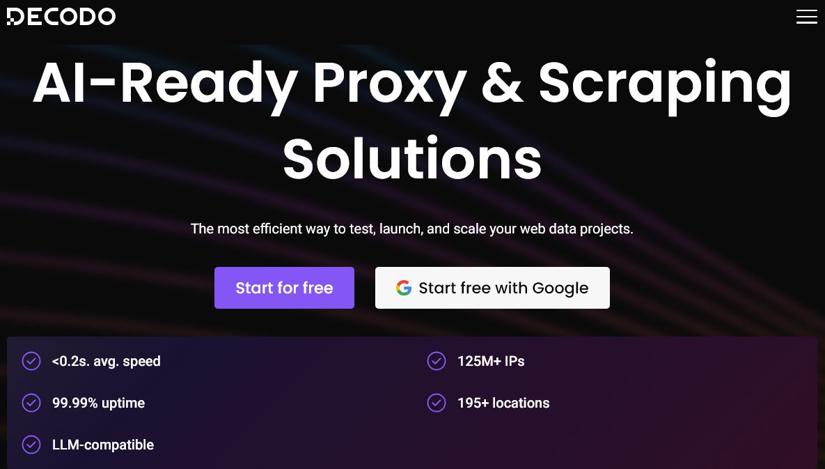
4. Decodo
Rating: 4.6/5
Best for: budget-conscious buyers who still want reliable rotating residential proxies, mobile proxies, and flexible geo-targeting
Pricing: monthly residential plans start at $11.25/month for 3 GB ($3.75/GB), while pay-as-you-go pricing starts at $4.00/GB. Larger commitments lower the per-GB cost.
Description
Decodo is one of the better value picks in this list. It offers rotating residential proxies, mobile proxies, ISP proxies, and datacenter proxies, so it covers most common scraping setups without pushing buyers into a heavier enterprise platform.
It works best for teams that want solid coverage, stable access, and enough targeting for real scraping work, but still want a setup that feels straightforward to manage.
Top features
- Rotating residential proxies with 115M+ real-user IPs
- Coverage across 195+ countries
- Mobile proxies with 10M+ IPs across 160+ locations
- Country, city, and US ZIP targeting
- Sticky and rotating sessions
- Clean dashboard with usage tracking
- SOCKS5 support and 24/7 support
What using it feels like in practice
Decodo is easy to get moving without much setup drama. The dashboard is simple, the core controls are easy to find, and it does a good job of staying out of your way when the work is fairly standard.
That is the appeal, but also the limit. It feels strongest in common scraping workflows, not in unusual ones. Once the setup gets more specific, choosing the right product and plan can take more digging than the first impression suggests.
What I like
- Fast onboarding and low-friction setup
- Clean dashboard that is easy to navigate
- Good coverage across residential, mobile, ISP, and datacenter products
- Useful location and session controls for regular scraping work
- A practical option for smaller teams that want self-serve rotating proxies without a heavy setup
- Feels easier to buy and use than heavier enterprise platforms
What I don't like
- Pricing competitiveness depends on volume, with pay-as-you-go plans becoming less attractive at higher usage levels
- Product selection is not always obvious at first glance
- Better suited to common workflows than highly customized ones
Customer sentiment
- Decodo tends to land well with buyers who want a stable service that is easy to start using, especially smaller teams and self-serve users who do not want a heavier enterprise setup from day one.
- The weaker points usually show up later rather than earlier. Reviews are more likely to mention some uncertainty around product choice, a bit less guidance for advanced use cases, and occasional dashboard details that could be clearer.
Example reviews
- One G2 reviewer said Decodo gave them stable, consistent connections for academic digital market research across different regions and praised the straightforward setup and dashboard.
- Another reviewer highlighted the reliable network, clean interface, and smooth integrations, but said advanced troubleshooting and choosing the right product tier could be clearer.
Verdict
Decodo is a good fit when you want something usable quickly.
It works well for smaller teams, straightforward projects, and regular scraping jobs that do not need a heavy enterprise setup. If the project is unusually demanding or highly customized, you may want a provider with more depth around advanced routing and setup decisions.
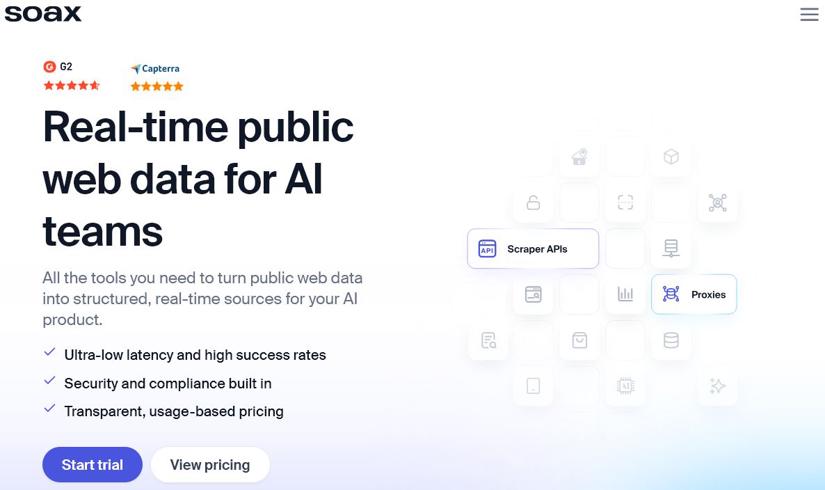
5. SOAX
Rating: 4.8/5
Best for: buyers who care most about flexible targeting, custom session behavior, and fine control over how rotating proxies behave
Pricing: starts at $90/month for 25 GB ($3.60/GB), with lower per-GB rates on larger plans
Description
SOAX is a strong option when proxy behavior matters as much as the IP pool itself. It is built for teams that want rotating residential proxies, mobile proxies, and datacenter proxies with tighter control over location, refresh rules, and sticky sessions.
It fits localized scraping, ad verification, account-based workflows, and other jobs where the right IP setup can change the outcome.
Top features
- Country, region, city, and ISP targeting
- Sticky and rotating sessions
- Custom IP refresh settings
- Residential, mobile, and datacenter proxies
- Unlimited proxy connections
- HTTP(S), SOCKS5, UDP, and QUIC support
- Access to a Web Data API on all plans
What using it feels like in practice
SOAX is most useful when IP behavior is part of the job, not just background infrastructure. It gives you enough control to handle workflows that need different session rules at different stages, like keeping one identity for login or pagination and rotating more aggressively once the crawl opens up.
The upside is precision. The cost is attention. You get more levers to work with, but you also spend more time checking how the setup is behaving, how traffic is being used, and whether the configuration matches the workflow you actually have.
What I like
- Strong control over session length, rotation rules, and targeting
- Good fit for workflows where sticky behavior actually matters
- Easy to set up and use for day-to-day scraping work
- Support gets positive feedback from users
- Broad feature set without forcing you into a giant enterprise platform
- Works for both straightforward use cases and more tuned setups
What I don't like
- Can still feel expensive for smaller teams
- Usage and reporting details could be clearer in some cases
- Some parts of the setup still take extra digging before everything clicks
- Not the most obvious fit if you just want the cheapest simple setup
Customer sentiment
- Reviews tend to focus on support, ease of use, and control. Buyers usually like the flexible targeting, session settings, and solid day-to-day proxy performance.
- The tradeoff is mostly around cost and clarity. Smaller users are more likely to question the price, and some reviews mention that parts of the dashboard or setup flow could be clearer.
Example reviews
- One G2 reviewer said SOAX handled a heavy use case without performance issues and praised the support team, dashboard, and proprietary tools.
- Another reviewer liked the clear pricing and compliance focus, but said the platform can still feel expensive for smaller users and less beginner-friendly at first.
Verdict
SOAX fits best when proxy behavior needs to be adjusted without moving into a heavier enterprise stack.
It works well for teams that care about session control, targeting flexibility, and a service that is still fairly approachable to use. If the main goal is the lowest-cost entry point for simple proxy usage, there are easier options to justify.
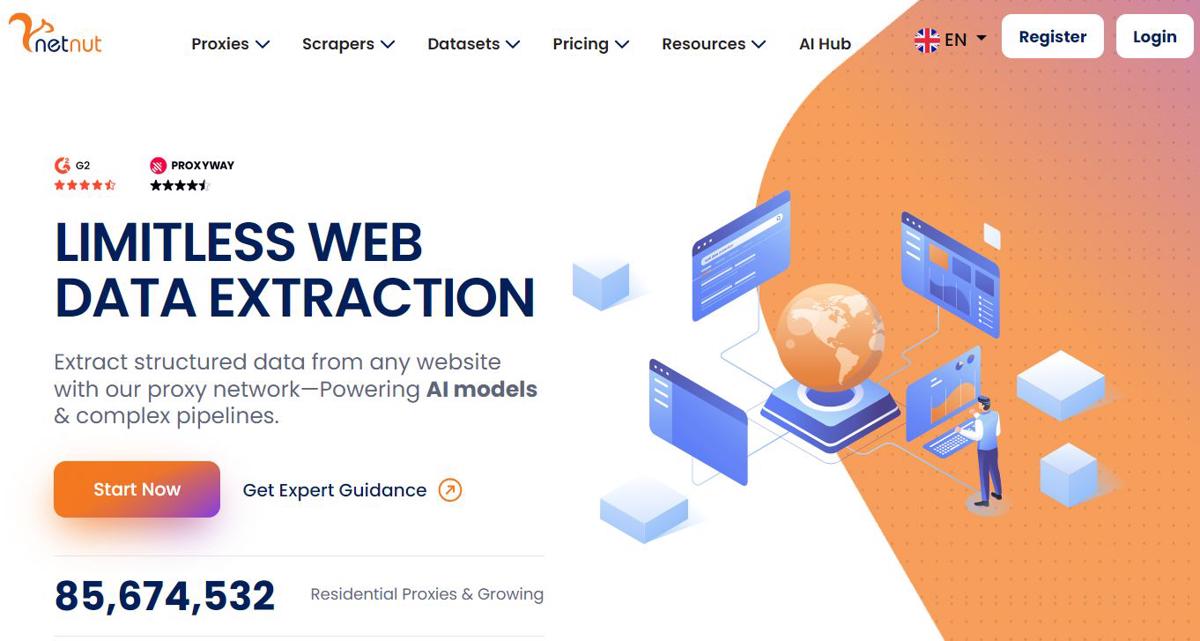
6. NetNut
Rating: 4.9/5
Best for: high-volume scraping operations that need residential, mobile, ISP, and datacenter options in one place
Pricing: NetNut's rotating residential proxies start at $99/month for 28 GB ($3.53/GB) on monthly plans, with lower per-GB rates on larger commitments. Datacenter proxies start at $100/month for 100 GB ($1.00/GB), while mobile proxies start at $99/month for 13 GB ($7.60/GB). Annual and high-volume plans reduce the per-GB cost further.
Description
NetNut is built for larger scraping operations that need scale, speed, and several proxy types under one roof. It offers rotating residential proxies, mobile proxies, ISP proxies, static residential proxies, and datacenter proxies.
It fits price monitoring, market research, ad verification, and other scraping jobs where scraping runs continuously and stable access matters more than chasing the lowest possible price.
Top features
- 85M+ rotating residential IPs across 195+ countries
- 5M+ mobile IPs across 100+ countries
- ISP, static residential, and datacenter proxy options
- Country and city targeting
- Sticky and rotating sessions
- HTTP, HTTPS, and SOCKS5 support
- 99.99% uptime claim and 24/7 support
- Extra tools such as Website Unblocker and scraper APIs
What using it feels like in practice
NetNut is the kind of service that makes more sense once scraping stops being a side task and starts behaving like regular operations. Its strengths show up when jobs need to keep running across multiple regions, multiple targets, and multiple proxy types without the whole setup becoming fragile.
The network side is where it leaves the best impression. Speed, continuity, and broad proxy coverage are the main pull. The softer spot is the product layer around that core: reporting is not especially rich, and some parts of the interface feel more functional than refined.
What I like
- Well suited to long-running, high-volume scraping work
- Good speed for larger collection jobs
- Wide proxy mix across residential, mobile, ISP, and datacenter
- Easy to set up and use for day-to-day work
- Helpful support when workloads get bigger
- Convenient for teams that want several proxy types under one account
What I don't like
- Dashboard analytics could be more detailed
- Visibility into usage is not equally strong across the platform
- Some parts of the product experience feel more functional than polished
- Not the most natural fit if the priority is a lower-cost starting point
Customer sentiment
- NetNut is usually rated well for speed, reliable day-to-day performance, ease of setup, and support that stays useful as workloads grow.
- The main friction is less about the proxy network itself and more about the product layer around it. Reviews are more likely to mention dashboard visibility, analytics depth, and workflow polish than problems with core proxy performance.
Example reviews
- One G2 reviewer said NetNut was easy to set up, reliable for everyday use, and backed by fast customer support, but wanted more detailed analytics in the dashboard.
- Another reviewer praised NetNut for handling large volumes of data quickly and for being easy to integrate, but said the extraction platform would be better with a simpler one-URL task flow.
Verdict
NetNut fits best when the priority is keeping larger scraping workloads stable.
It works well for teams that want solid speed, dependable residential proxies, and access to several proxy types under one account. If the main goal is a lighter product experience or a lower-cost entry point, other options are easier to justify.
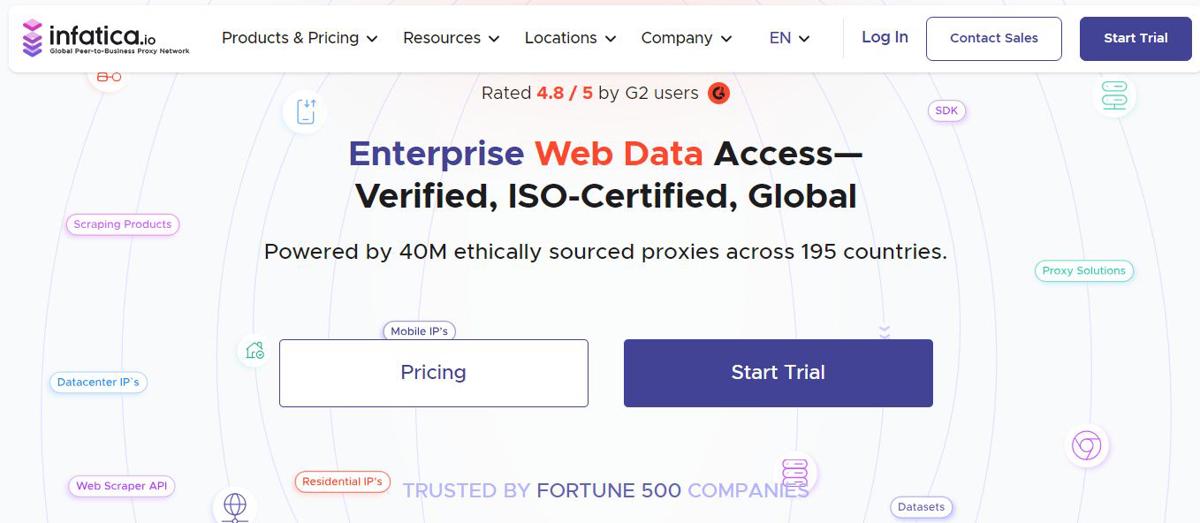
7. Infatica
Rating: 4.8/5
Best for: businesses that want broad geo coverage and reasonably priced rotating residential proxies without moving into full enterprise pricing
Pricing: pay-as-you-go starts at $4/GB, while the entry monthly plan starts at $96 for 25 GB ($3.84/GB). Larger commitments lower the per-GB cost further.
Description
Infatica is a business-focused proxy provider built for repeatable commercial scraping workflows. It offers rotating residential proxies, mobile proxies, and datacenter proxies, so it covers the core setups most teams need without turning into a heavier enterprise platform.
It works well for price monitoring, market research, email analytics, and other recurring jobs where steady access across regions matters more than extra platform layers.
Top features
- 35M+ rotating residential IPs
- Coverage across 195+ countries
- Country, region, and city targeting
- Sticky and rotating sessions
- Residential, mobile, and datacenter proxy options
- Multiple concurrent requests and a 99.9% uptime claim
- Responsive support and business-oriented onboarding help
What using it feels like in practice
Infatica comes across as a fairly business-oriented proxy service: broad coverage, familiar product mix, and a setup that is geared more toward routine commercial use than experimentation.
In practice, the selling point is consistency. It is easier to picture it in regular workflows like monitoring, research, or recurring collection jobs than in highly customized scraping setups. The tradeoff is less about raw capability and more about fit: it is not the cheapest starting point, and some users still mention a bit of adjustment before everything feels smooth.
What I like
- Broad geo coverage for recurring collection across regions
- Responsive support
- Product lineup covers the main proxy needs without getting bloated
- Useful location and rotation controls for regular scraping work
- Better suited to regular business use than one-off testing
- Solid option for teams that want continuity more than extra platform layers
What I don't like
- Pricing flexibility may still be a concern depending on traffic patterns
- Not the most immediate service for first-time or non-technical users
- Some users report occasional slowdowns during busier periods
Customer sentiment
- Infatica is usually viewed as a practical business-use option for recurring workflows. Reviews tend to highlight support, workable day-to-day setup, and a service that fits regular proxy use without pushing buyers into a heavier platform.
- The negatives are more operational than dramatic. Reviews are more likely to mention pricing flexibility, a bit more friction for newer users, and occasional latency during busier periods than major problems with the product itself.
Example reviews
- One G2 reviewer said Infatica performed well under high demand for an email analytics platform and praised the support team for being responsive and knowledgeable.
- Another reviewer described the network as reliable and high-performing for web scraping and anonymity, but said newer users may still face a learning curve and that pricing could feel high for some buyers.
Verdict
Infatica is a sensible mid-market option for recurring proxy use.
It works best for teams that want broad coverage, useful controls, and a service they can fold into regular workflows without moving into a much heavier setup. If the priority is the simplest first-time experience or highly polished guidance for non-technical users, there are easier options.
8. Nimble
Rating: 4.9/5
Best for: teams that want rotating residential proxies plus API-based scraping tools in one managed stack
Pricing: residential proxy pricing starts at $8/GB on pay-as-you-go, or $150/month for 150 credits ($7.50/GB) on monthly plans. Nimble also offers custom pricing, volume discounts, and bundled plans for larger or more managed use cases.
Description
Nimble is more API-first than a typical proxy provider. It combines rotating residential proxies with a managed data stack that includes Proxy API, Extract API, Crawl API, Map API, Search API, and newer Web Search Agents.
It makes the most sense when the goal is not just to buy IPs, but to reduce the amount of scraping and data collection infrastructure that needs to be built and maintained.
Top features
- Rotating residential proxies with city, state, and country targeting
- Sticky sessions and geo sessions
- API-first stack for extraction, crawling, mapping, and search
- Built-in managed tools, including Crawl API, Extract API, Map API, and Web Search Agents
- Budget controls and integrations with common data workflows
- Unlimited concurrent requests on the proxy side
- Good fit for public web data collection on protected or unstable targets
What using it feels like in practice
Nimble comes across as a service for teams that want to buy less scraping plumbing. The appeal is not just proxy access. It is getting APIs and managed tooling that take a chunk of the collection and extraction workload off the engineering side.
That changes the buying logic a bit. You are not really comparing it to a bare proxy network as much as to the time and maintenance cost of building the stack yourself. The strong side is integration speed and managed workflow coverage. The weaker side is that the bill is premium and the product layer is not equally smooth everywhere, especially when you are checking usage and account details.
What I like
- API-first setup is easier to plug into existing workflows
- Cuts down the amount of custom scraping infrastructure you need to build
- Better aligned with managed data collection than proxy-only buying
- Easy API integration is a recurring positive in user reviews
- Gives you more built-in tooling than a plain residential proxy service
What I don't like
- Pricing is firmly on the premium side
- Usage and billing views can feel less intuitive than the APIs
- Best value shows up when you use the wider stack, not just the proxies
- More advanced use cases still take time to learn
- Harder to justify as a simple proxy purchase
Customer sentiment
- Nimble is usually described less as a proxy vendor and more as a managed web data platform. Reviews tend to focus on easy APIs, strong stability on protected targets, and less custom scraping work for the team.
- The pushback is mostly around pricing and clarity. Users are more likely to question the premium cost, billing visibility, and parts of the dashboard than the APIs themselves.
Example reviews
- One G2 reviewer said Nimble became their default platform for public web data collection because the residential proxies and Web API improved stability on protected targets and reduced custom scraping work.
- Another reviewer praised the simple data APIs, broad residential proxy coverage, and responsive support, but said the dashboard can be confusing when analyzing usage.
Verdict
Nimble makes the clearest case as a managed data stack with proxy access built in.
It works best when the goal is to save engineering time by replacing custom scraping glue with APIs and managed tooling. If you mainly want a simpler or cheaper way to buy rotating proxies, it is harder to justify.
9. IPRoyal
Rating: 4.7/5
Best for: users who want flexible rotation settings and sticky session control without jumping straight to premium enterprise pricing
Pricing: residential proxy subscriptions start at $7 for 1 GB ($7.00/GB), while pay-as-you-go starts at $7.35/GB. Larger plans lower the per-GB cost.
Description
IPRoyal is a practical option for buyers who want more manual control over proxy rotation. It offers rotating residential proxies, mobile proxies, ISP proxies, datacenter proxies, and static residential proxies.
It works well for scraping and geo-specific testing where session length, rotation intervals, and easy setup matter more than a heavier enterprise stack.
Top features
- Rotating residential proxies with 32M+ IPs
- Coverage across 195+ countries
- Manual rotation control in the dashboard
- Sticky sessions from 1 second up to 7 days
- HTTP(S) and SOCKS5 support
- Unlimited simultaneous sessions and API access
- Extra products such as mobile proxies, datacenter proxies, and Web Unblocker
What using it feels like in practice
IPRoyal is one of the easier services to drop into an existing workflow without much ceremony. The controls are not buried, rotation settings are easy to understand, and the product makes sense quickly even if you are not shopping at the enterprise end of the market.
That makes it a comfortable option for geo-checks, local SERP work, and other session-sensitive tasks where you want some control without a bloated platform around it. Where it gets less convincing is in very narrow location needs: broad coverage is there, but highly specific inventory can be less predictable.
What I like
- Easy to set up and integrate
- Sticky session and rotation controls are easy to work with
- Solid fit for regular scraping and geo-testing tasks
- Pricing is more approachable than many premium providers
- A practical option for smaller teams or lower-commitment projects
- Reviews often mention low friction in everyday use
What I don't like
- Specific locations or narrower regional needs can be inconsistent
- Some pricing details depend on location and are not always intuitive at first
- The dashboard and usage flow can feel a bit crowded in some cases
- Better suited to routine use than large-volume buying with strict location demands
Customer sentiment
- IPRoyal tends to win people over with simple setup, flexible rotation controls, and pricing that feels more approachable than many premium providers, especially for smaller teams and intermittent use.
- The main complaints are about depth rather than basics. Narrower locations can be less predictable, some pricing details vary by location, and certain users want a clearer dashboard experience when managing usage.
Example reviews
- One G2 reviewer said IPRoyal delivered reliable proxies for scraping and geo-specific testing with almost no CAPTCHAs or 403 errors, and praised the simple integration and support.
- Another reviewer liked the straightforward setup and affordable pricing, but said the service can feel less predictable when a workflow depends on very specific locations or narrower regional coverage.
Verdict
IPRoyal works best as a flexible, accessible option for regular scraping work.
Its appeal is giving users straightforward control over sessions and rotation without forcing them into a heavier platform or premium pricing model. It also makes sense for smaller teams that want a lower-friction way to buy rotating residential proxies. The tradeoff is depth: the more a workflow depends on very specific coverage or large-volume consistency, the more uneven it can feel.
What Makes the Best Rotating Proxies Stand Out
The best rotating proxies are not just about IP pool size. In practice, what matters more is how well they help avoid blocks, stay stable, and fit your workflow. When I evaluate rotating residential proxies for web scraping, I focus on a few key factors.
- IP pool size and quality: a large pool helps, but quality and reputation matter more than raw numbers
- Session control: the ability to rotate per request or keep sticky sessions when needed
- Geo-targeting: country, city, or ISP-level targeting for accurate data collection
- Success rate and stability: fewer retries mean faster and cheaper scraping
- Ease of use: raw proxies give more control, while managed APIs reduce setup and maintenance
The biggest decision is whether to use raw proxies or a managed scraping API. Proxies give flexibility, but APIs handle rotation, rendering, and blocking for you. If you're still comparing options, check this guide to choosing a proxy for scraping.
Why Use Rotating Proxies for Web Scraping?
Dedicated rotating proxies are one of the most useful tools for web scraping because they help avoid blocks, spread requests across many IPs, and make traffic look more natural. Without rotation, many scrapers get flagged fast, especially on sites with stronger anti-bot protection.
The biggest benefit is bypassing rate limits. Websites watch how many requests come from one IP. If too many requests hit the same page in a short time, that IP gets throttled or blocked. Rotating proxies reduce that risk by switching IPs per request or session.
They also help with geo-targeting and localized data. Many sites change prices, search results, or content based on location. Some block access by region entirely. Rotating residential proxies for web scraping make it easier to collect data from specific countries, cities, or ISPs.
Another advantage is that they help mimic real user traffic. Real users do not send hundreds of requests from one IP in a perfectly fixed pattern. Rotating IPs, along with realistic headers and timing, makes scraping traffic look less suspicious.
They also improve scale and stability. Instead of relying on a few IPs that burn out fast, requests get distributed across a much larger pool. That usually means fewer bans, fewer retries, and more reliable data collection.
In practice, rotating proxies are not really about speed. They are about staying undetected long enough to keep the scrape running.
Rotating Proxy API vs. DIY Raw Proxy Pool
The main difference between a rotating proxy API and a raw proxy pool is control vs. simplicity.
A DIY raw proxy setup gives full control over how requests are sent. You can choose providers, manage rotation logic, run headless browsers, and tune every part of the scraping stack. That works well for teams with strong engineering resources and very specific needs, such as custom anti-bot handling or heavily optimized pipelines. The downside is the overhead. You have to manage infrastructure, monitor bans, maintain browsers, and keep the whole system stable.
A managed rotating proxy API works differently. Instead of building the stack yourself, it handles IP rotation, retries, rendering, and part of the anti-bot work for you. That cuts a lot of setup and maintenance. For smaller teams or fast-moving projects, it can save a serious amount of engineering time.
The tradeoff is flexibility. A managed API gives up some low-level control, but it is usually much easier to run.
In general, a raw proxy pool makes more sense for large, custom systems. A rotating proxy API is the better fit when the goal is to launch faster and avoid maintaining scraping infrastructure.
Common Mistakes to Avoid When Choosing a Web Scraping IP Rotation Service
Choosing a web scraping IP rotation service looks easy at first, but a few bad assumptions can lead to weak results, wasted budget, or constant blocks.
One of the biggest mistakes is choosing on price alone. Cheap rotating proxies often mean weaker IPs, lower success rates, and less stable connections. That usually leads to more retries, more failures, and higher real costs over time.
Another common mistake is ignoring session behavior. Some jobs need a new IP on every request. Others need sticky sessions to stay logged in or keep state. If the provider cannot handle both well, even a large proxy pool will not help much.
A lot of buyers also put too much weight on IP pool size. Millions of IPs sound good, but usable, clean IPs matter far more than a big headline number.
Using free proxy sources is another bad move. Free proxies are often slow, unreliable, or already blocked, and they can create security risks too.
It is also easy to underestimate the setup work. Raw rotating proxies still need retries, browser handling, headers, and anti-bot logic.
Finally, many teams skip real testing before buying. Small tests on actual targets tell you more than any sales page.
Avoiding these mistakes matters more than picking the provider with the biggest advertised network.
Final thoughts
The providers above market their residential networks as ethically sourced or compliant. If you choose another service, make sure the sourcing is ethical, since cheaper networks can put your data and activity at risk.
If you want a cost-effective option, consider ScrapingBee. It charges per request instead of by bandwidth, which makes billing easier to predict and avoids the usual bandwidth surprises.
See the "Sign up" button in the top-right corner of this page? Click it to get started. You'll get 1,000 free API calls, which is enough to test your workflow and scrape hundreds of pages.
All of the providers above offer broad IP coverage, but ScrapingBee stands out for ease of use. It only charges for successful requests, and you can send requests through a simple API without dealing with proxy zones or whitelisting.
Another advantage is JavaScript rendering. Unlike many rotating residential proxy providers, ScrapingBee can handle single-page apps built with React, Angular, and Vue, so you do not need to manage headless browsers yourself. It also supports small page actions, such as clicking buttons or closing pop-ups.
Before choosing a provider, make sure you understand the proxy types, IP sourcing, and pricing model. Some providers charge by bandwidth, which can cause large swings in monthly cost. Keep in mind that the average web page is around 2MB.
💡 Want to set up your own rotating proxies in Node? Check out our guide on how to set up rotating proxies in Puppeteer.
Before you go, check out these related reads:
- The 6 Best mobile and 4G proxy providers for web scraping
- The 5 Best Free Proxy Lists for Web Scraping
Best Rotating Proxies FAQs
What are the best rotating proxies for high-security websites?
The best rotating proxies for high-security websites are providers with large residential or mobile IP pools, high success rates, and strong anti-bot bypass capabilities. In practice, premium providers like Bright Data, Oxylabs, or managed APIs perform better than cheap proxy networks.
How does a rotating proxy API simplify data extraction?
A rotating proxy API removes the need to manage proxies, IP rotation, and headless browsers. It handles retries, blocking, and rendering automatically, so data can be extracted with simple API calls instead of maintaining a complex scraping infrastructure.
Can I use rotating proxies for web scraping on social media?
Yes, rotating proxies can be used for social media scraping, but these platforms have strict anti-bot systems. High-quality residential or mobile proxies are usually required, along with proper rate limiting and realistic request patterns to avoid account bans or IP blocks.
What is a web scraping IP rotation service?
A web scraping IP rotation service automatically changes the IP address used for each request or session. This helps distribute traffic across multiple IPs, avoid rate limits, and reduce the chances of detection when collecting data from websites.
How many IPs should be in a rotating residential proxies pool?
There is no fixed number, but larger pools generally perform better. In practice, thousands of clean, high-quality IPs are more useful than millions of low-quality ones. The key factor is IP reputation and availability, not just total pool size.
Are there free rotating proxies available for web scraping?
Yes, but free rotating proxies are often unreliable, slow, and already blocked on many websites. They can work for testing, but not for serious scraping. If you want to explore options, check these best free proxy lists for web scraping.

Ilya is an IT tutor and author, web developer, and ex-Microsoft/Cisco specialist. His primary programming languages are Ruby, JavaScript, Python, and Elixir. He enjoys coding, teaching people and learning new things. In his free time he writes educational posts, participates in OpenSource projects, tweets, goes in for sports and plays music.