Web scraping with JavaScript isn't one problem. It's three problems pretending to be one: getting the HTML, parsing it and not getting blocked while doing it at scale. Most tutorials cover the first in detail, gesture toward the second, and skip the third. That's why scrapers built from those tutorials work in dev and break a few weeks later.
This guide is the version of that lesson I wish I had when I started JavaScript web scraping.
We'll walk through the JavaScript scraping stack: native fetch for static pages, Cheerio for parsing, jsdom for the cases Cheerio can't reach, Playwright and Puppeteer for sites that render in the browser, and an honest take on when proxy infrastructure stops being worth maintaining yourself.
If you only have 30 seconds, here's our whole conversation in six bullets:
- Node.js beats the browser for scraping: no CORS walls, full file-system access, real automation and async I/O
- Native fetch became stable in Node 21 (it's been available since 18, experimental through v20 LTS) and has replaced Axios as the default for static-page web scraping with JavaScript
- Cheerio returns an empty array on React, Vue, or Next.js sites because it does not execute JavaScript
- Playwright with bounded p-limit concurrency handles thousands of scraped pages without crashing the Node.js process
- Most CAPTCHAs trigger on bot-detection signals before the challenge fires, so good fingerprinting prevents them from showing up
- A web scraping API handles proxy rotation, CAPTCHAs, and TLS fingerprinting in one HTTP call without the maintenance burden
5 things you need to know before web scraping with JavaScript and NodeJS
From my experience, there are five decisions and concepts you have to know before you write a line of code. Each one closes a question that, left open, might cost you a rewrite later on.
1. Web scraping with JavaScript or Python?
The honest answer is the unsatisfying one: pick the language the rest of your stack is already in. If your downstream code, your app server, your data pipeline, and your team are all in Node, scraping in Python adds a permanent translation tax that no library benchmark can pay back.
If you're starting from zero with no constraints, here's how I'd split it if I could roll back time:
| Scenario | Pick |
|---|---|
| When you want one runtime end-to-end (scrape, process, serve); when the target is a JavaScript-rendered site (Playwright in Node is the same Playwright as in Python, and you've already got Node running), or when you need to scale scraping into a service rather than run it as a script. | JavaScript / Node.js |
| When scraping is the system; you're crawling tens of thousands of sites with complex politeness rules, depth-first queues, and per-domain throttling. From what I've seen, Scrapy is still the best crawl-orchestration framework anyone has written in any language, and Node has nothing equivalent. | Python |
For everything in between (the 80% of readers landing on this article), JavaScript is the right pick because it's the language you're already in. The rest of this guide assumes Node.js.
2. Why you shouldn't scrape with frontend JavaScript (CORS, no automation or scaling)
If you've ever tried to scrape by opening DevTools and running
fetch('https://target-site.com/api/data')
in the console, you know how it ends.
The browser blocks the request before it leaves your machine. The response is empty, and somewhere, a CORS policy line in the target's headers is doing exactly what it was designed to do.
Frontend JavaScript can't scrape anything outside the origin it's running on.
Even when it does work (same-origin, public APIs), you hit three walls fast:
- No system access: You can't save files, write to a database or queue jobs. Whatever you scrape lives and dies in browser memory.
- No automation: A scraper that needs you to keep the tab open while it runs 500 pages isn't a scraper. It's a babysitter.
- No scale: Want to scale? Just forget it. You can't rotate proxies, run headless or run on a schedule. The browser is the wrong shape for the job.
Node.js gives you all of that back. JavaScript outside the browser stops being a UI language and starts being a server-side runtime. You get full file system access, real network primitives, the npm ecosystem, and an async event loop that handles hundreds of concurrent HTTP requests without thinking about threads.
That's the entire reason web scraping with JavaScript means web scraping with Node.js. The rest is implementation detail.
3. The JavaScript web scraping libraries you'll use (Cheerio, jsdom, Playwright, Puppeteer)
Four libraries do most of the work, and they split cleanly along one axis: do you need a browser? Let's look at the decision-maker:
| Library | What it is | When to use it |
|---|---|---|
| Cheerio | Server-side jQuery for HTML; parses static markup at parser speed, no DOM, no JS execution | 80% of the time; static HTML pages |
| jsdom | Web-spec DOM implementation in Node, can run <script> tags | When the page mutates its own markup at parse time, and Cheerio returns the wrong HTML |
| Playwright | Full headless browser automation across Chromium, Firefox, and WebKit | JS-rendered sites (React, Vue, Next.js, anything single-page) |
| Puppeteer | Chrome's official headless library, Chromium-only | When you're Chrome-only and want the extras, particularly the stealth plugin ecosystem |
The HTTP clients section below covers the half of the stack that doesn't show up in this list: how you get the HTML in front of Cheerio (or jsdom) in the first place.
4. HTTP clients for querying the web with JavaScript (fetch, Axios, Got, Ky, SuperAgent, Node Crawler)
Six HTTP clients dominate Node.js scraping. I'm showcasing all six here because the choice has real consequences for bundle size, retry behavior, browser parity, and how pitiful your code gets the day you have to add interceptors a few months in.
Here are the six at a glance:
| Client | Retries built-in | Interceptors | Bundle size | When to reach for it |
|---|---|---|---|---|
| Native fetch | No | No | 0 (built into Node) | The default |
| Axios | Via plugin | Yes | ~16KB | Interceptors, browser+Node parity |
| Got | Yes (sensible defaults) | Hooks | ~45KB | Retry semantics that work out of the box |
| Ky | Yes (configurable) | Yes | ~7KB | Modern fetch wrapper, lightest of the libraries |
| SuperAgent | Via .retry() | Plugins | ~18KB | Existing codebases, plugin needs |
| Node Crawler | Yes | No | Framework | Crawling at scale with built-in queues |
If you're starting a new scraper and you don't have an opinion yet, start with native fetch. Move to Got the first time you find yourself writing retry logic, to Axios the first time you need interceptors, and to Node Crawler the first time you realize you're not scraping a page anymore, you're crawling a site.
5. Using browser DevTools to grab CSS selectors for web scraping
Selectors are where scrapers die. The element you want is right there in the DOM. You've inspected it, copied a path, pasted it into Cheerio, and it returns an empty array. The path was technically correct on the day you copied it.
Note: If CSS selectors are new to you, our primer on using CSS selectors for web scraping covers the fundamentals before you come back here for the field-tested version.
Here's the smart move I've landed on (keep this between us):
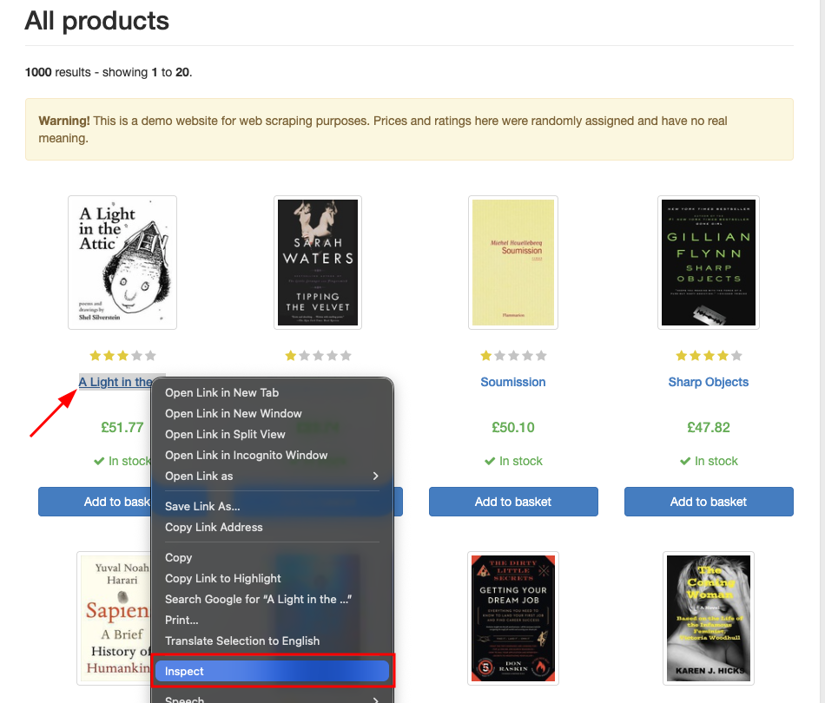
- Right-click the element in DevTools and choose Inspect
- Ignore Chrome's "Copy selector" feature. That tool generates long, position-anchored paths (lots of
:nth-child, lots of wrapper divs) that break the first time the site changes its layout. - Write the selector by hand instead. Look for the shortest path anchored to something stable, like a semantic class name, an id, or a
data-attribute the site is using to wire up its own JavaScript.
For instance, on books.toscrape.com, the book title links sit inside article.product_pod h3 a. Three terms, no positional :nth-child, no implementation-detail wrappers.
The selector survives at least one round of layout changes.
From my experience, the Console tab is the cheapest test. Before you put a selector in Node, paste it into the browser's console with
document.querySelectorAll('your-selector')
and check the count. If it returns one element when you wanted twenty, the selector is wrong.
If it returns nothing, you're looking at a JavaScript-rendered page (skip ahead to the dynamic-pages section). If the count matches what you see on the page, you have a selector worth shipping.
How to set up your JavaScript web scraping environment
By the end of this section, you'll have a working scraper that pulls 20 book titles from books.toscrape.com and prints them as JSON. The walkthrough in the next section turns that into something resilient.
This section's job is making sure the plumbing works.
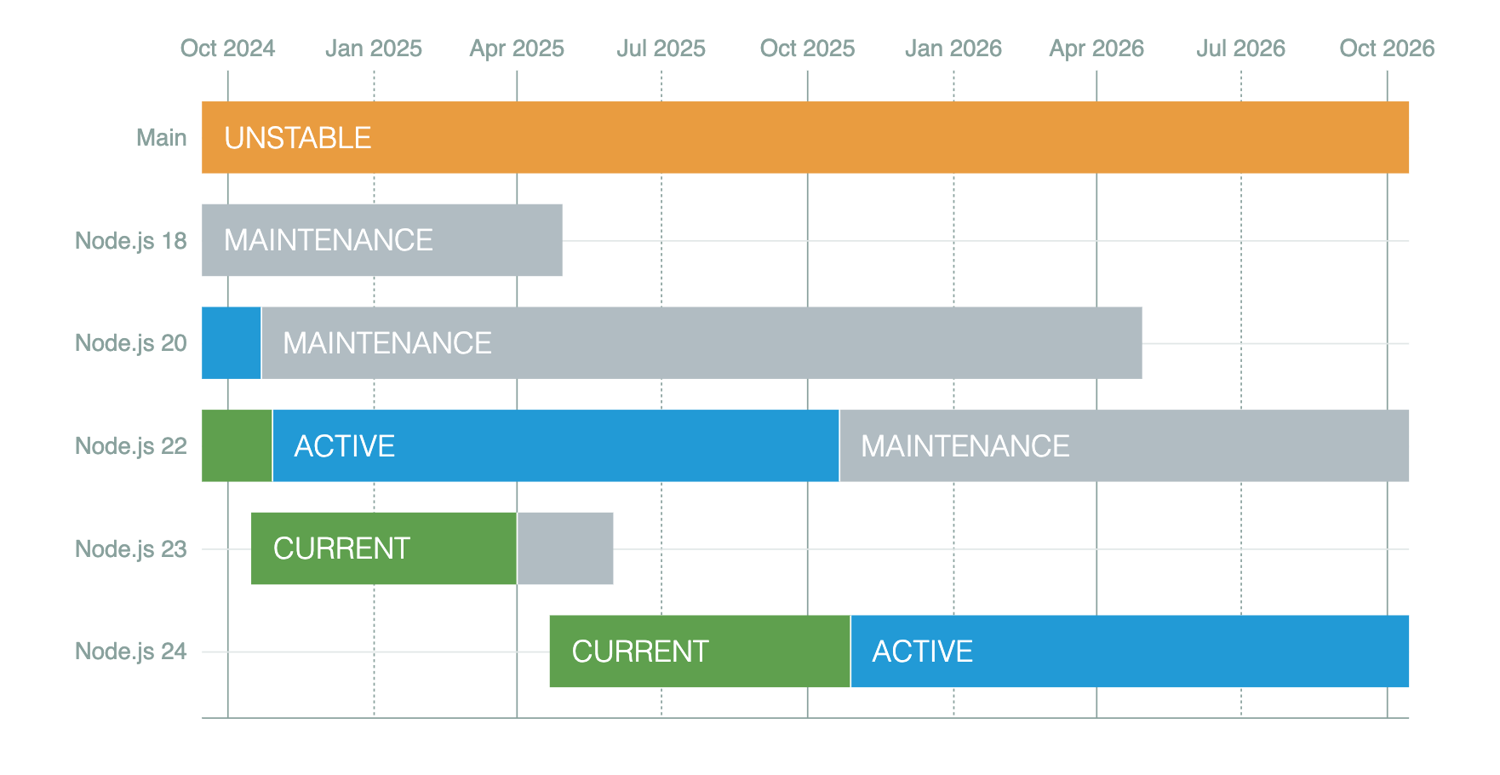
1. Install Node.js 20+ (verify with node --version)
Node 22 LTS is what I'd target because it stays in security support through 2027. If you don't have a Node version manager installed, get nvm before you do anything else. It saves you the day when you have to install Node 24 for one project without breaking the scraper that's still on 20.
When you install, you can confirm the version:
node --version

# v20.x.x or higher
If you see anything older than v20, upgrade. fetch works on v20 (it's marked experimental there but reliable), and is officially Stability 2 - Stable as of v21.
2. Initialize your project (npm init -y, set "type": "module")
Spin up a project directory and scaffold a package.json:
mkdir my-scraper && cd my-scraper

npm init -y
Without it, your import statements throw SyntaxError: Cannot use import statement outside a module, and you waste time Googling the wrong thing.
npm pkg set type=module
That sets "type": "module" in your package.json, which lets us use import syntax throughout this guide. Cheerio 1.x is a dual ESM/CJS package, so this isn't strictly required.
In my experience,
const cheerio = require('cheerio')
works fine in a CommonJS project, but modern Node code is mostly ESM at this point, and this is the right default.
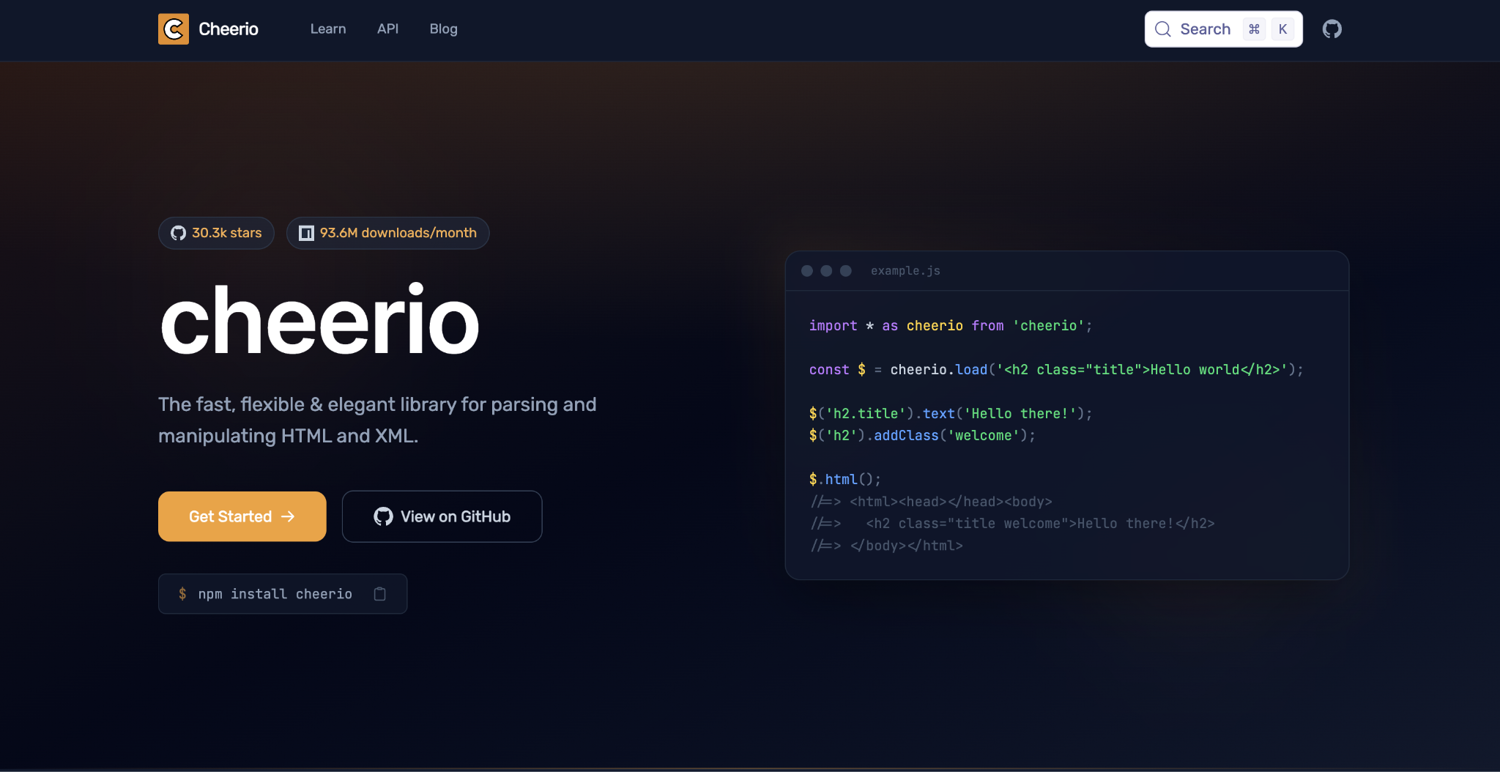
3. Install Cheerio (npm install cheerio)
Cheerio is what we're parsing with because we're scraping static HTML next.
One dependency. That's all the setup section needs:
npm install cheerio
If your target site is React, Vue, or Next.js, skip ahead to the dynamic-pages section and install Playwright instead. For everything else, including books.toscrape.com that we'll use in this tutorial, Cheerio is the right pick.
4. Create your scraper file (scrape.js)
Create scrape.js and paste this in:
import * as cheerio from 'cheerio';

const response = await fetch('https://books.toscrape.com/');
const html = await response.text();
const $ = cheerio.load(html);

const titles = $('article.product_pod h3 a')
  .map((_, el) => $(el).attr('title'))
  .get();

console.log(JSON.stringify(titles, null, 2));
About a dozen lines, no other imports. fetch is the native one (no import needed since Node 18). cheerio.load(html) returns a $ that behaves like jQuery in the browser. The selector is the one we verified in the DevTools section above. .map().get() is the Cheerio idiom for pulling attribute values out of a node list into a plain array.
5. Run it and verify the JSON output
Now, you can run the snippet:
node scrape.js
You should see this:
[
  "A Light in the Attic",
  "Tipping the Velvet",
  "Soumission",
  "Sharp Objects",
  "Sapiens: A Brief History of Humankind",
  ... fifteen more titles
]
If you got a JSON array of twenty book titles, you have a working web scraper. I verified end-to-end on Node 22.22.0 with Cheerio 1.2.0, 2026. The rest of this guide is making it survive contact with reality.
How to build and scrape static pages with JavaScript (fetch + Cheerio)
The last section's setup gave us a JSON array of book titles.
In this section, we turn that into a scraper that pulls four fields per book, iterates through the pagination for the whole 1000-book catalog, saves to both JSON and CSV, and tells you what broke when I tested it.
1. Pick your target page and inspect it with DevTools
I'm using books.toscrape.com because it exists for exactly this purpose. The maintainers' whole job is keeping the markup stable. The site has 1,000 books across 50 pages of 20, and there's no terms-of-service friction. For tutorials, that's the right pick.
For your own real-world scrapers, the picking-a-target step is where you stop and ask one question first: is the data here HTML I have to parse, or is there a JSON API behind the page I should hit instead?
Open the Network tab and look. Most modern sites have an internal JSON API powering their own frontend. If you can find it, scraping the JSON is faster, less brittle, and has fewer moving parts than parsing HTML.
If you can't (genuinely server-rendered HTML, or an API behind auth you don't have), you're on the HTML path. That's the rest of this walkthrough.
From the DevTools section we opened earlier, we know each book card on books.toscrape.com is article.product_pod. We're going to pull four fields from each card (title, price, in-stock status, and 1-5 star rating).
2. Fetch the HTML code using native fetch
Let's start by using native fetch plus one error check:
const response = await fetch('https://books.toscrape.com/');
if (!response.ok) throw new Error(`HTTP ${response.status}`);
const html = await response.text();
The response.ok line is the one most beginner tutorials skip. Without it, your scraper happily continues past a 500 or a 404, and you spend the next hour debugging "why does my parser see no elements." With it, you get a clear error message at the source.
For one-off pages, this is enough. When we get to pagination in Step 5, we'll wrap it in a function and add a polite delay between requests.
3. Select the elements you want to collect (CSS selectors)
We've got the HTML. Now we need a selector per field.
From inspecting the DOM:
| Field | Selector | What you pull |
|---|---|---|
| Title | h3 a → title attribute | Full title string |
| Price | .price_color text | "£51.77" |
| In stock | .instock.availability presence | true/false |
| Rating | p.star-rating class attribute | "star-rating Three" (needs parsing) |
Two of these deserve a callout. The title link's .text() returns the truncated version with an ellipsis ("A Light in the ..."). Always grab .attr('title') instead, which gives you the full title.
The rating is encoded as a class word (star-rating One through star-rating Five), not a number or a star icon, so you'll need a word-to-number map. Both quirks are why I'm covering this site here instead of just telling you "use .text()" as most tutorials do.
4. Parse the HTML using Cheerio
Here's the per-card parser plus the call that runs it across the page:
import * as cheerio from 'cheerio';

const RATING_MAP = { One: 1, Two: 2, Three: 3, Four: 4, Five: 5 };

function parseBookCard($, card) {
  const $card = $(card);
  const ratingClass = ($card.find('p.star-rating').attr('class') || '')
    .split(' ')
    .filter((c) => c !== 'star-rating')[0];

  return {
    title: $card.find('h3 a').attr('title'),
    price: $card.find('.price_color').text().trim(),
    inStock: $card.find('.instock.availability').length > 0,
    rating: RATING_MAP[ratingClass] ?? null,
  };
}

const $ = cheerio.load(html);
const books = $('article.product_pod')
  .map((_, el) => parseBookCard($, el))
  .get();

console.log(books[0]);
// { title: 'A Light in the Attic', price: '£51.77', inStock: true, rating: 3 }
Two things that I'm pointing out to you here:
First, the rating extraction. We grab the full class attribute ("star-rating Three"), split on spaces, filter out the constant "star-rating" part, and the survivor is the rating. RATING_MAP[ratingClass] ?? null handles the day the site changes its encoding: the scraper returns null for that field instead of crashing, and null shows up in your output where you can see it.
Second, .map().get(). Cheerio's .map() returns a Cheerio collection, not a plain array. .get() unwraps it. Type both together until it becomes muscle memory.
5. Handle pagination across multiple pages
If you inspect books.toscrape.com, it paginates at /catalogue/page-N.html for N from 2 through 50. Page 1 lives at the root (/), page 51 returns 404 (I tested it myself). That's 50 pages × 20 books = 1000 total.
The loop:
const BASE = 'https://books.toscrape.com';
const MAX_PAGES = 5; // bump to 50 to scrape the whole site

async function scrapePage(pageNum) {
  const url =
    pageNum === 1 ? `${BASE}/` : `${BASE}/catalogue/page-${pageNum}.html`;
  const res = await fetch(url);
  if (!res.ok) throw new Error(`HTTP ${res.status} fetching ${url}`);
  const $ = cheerio.load(await res.text());
  return $('article.product_pod')
    .map((_, el) => parseBookCard($, el))
    .get();
}

const allBooks = [];
for (let p = 1; p <= MAX_PAGES; p++) {
  console.log(`fetching page ${p}/${MAX_PAGES}...`);
  allBooks.push(...(await scrapePage(p)));
  if (p < MAX_PAGES) await new Promise((r) => setTimeout(r, 500));
}
console.log(`scraped ${allBooks.length} books`);
There are two decisions in this loop worth defending:
(1) The first is the sequential for loop instead of Promise.all. Sequential-with-delay is the polite default for any real-world target. Hitting a site 50 times in parallel from one IP is the kind of thing real production sites rate-limit you for. Although books.toscrape.com won't punish you for it because it's a tutorial site, your habits should be built around sites that will.
500ms is the floor I use for friendly scraping. Bump it to 1000-2000ms for sensitive targets.
(2) The second is MAX_PAGES = 5. That's the demo cap so you can run this without waiting on every test. Flip it to 50 to scrape the whole catalog. If you want concurrent fetching with a controlled limit, skip ahead to the dynamic-pages section where I cover p-limit for bounded parallelism.
6. Save the output to JSON or CSV
So, we're saving in two formats.
Pick based on where the data is going:
import { writeFile } from 'node:fs/promises';

// JSON for downstream code, APIs, anything programmatic
await writeFile('books.json', JSON.stringify(allBooks, null, 2));

// CSV for spreadsheets, BI tools, anything someone non-technical will open
const csvHeader = 'title,price,inStock,rating';
const csvRows = allBooks.map((b) =>
  [b.title, b.price, b.inStock, b.rating]
    .map((v) => `"${String(v).replace(/"/g, '""')}"`)
    .join(',')
);
await writeFile('books.csv', [csvHeader, ...csvRows].join('\n'));
A note on the hand-rolled CSV writer. I'm doing it manually because the data is simple and the dependency isn't worth it. For anything fancier (nested objects, custom delimiters, streaming output for huge result sets), reach for csv-stringify or papaparse. Both have solved CSV edge cases I won't pretend to have covered in eight lines.
The escape trick is the one CSV detail that bites everyone the first time. Any quote character inside a field needs to be doubled (" becomes ""), and the whole field has to be wrapped in quotes. That replace(/"/g, '""') is doing exactly that. Without it, the first book title with a quote in it breaks every row after it.
7. Learn from what broke when I tested this scraper
Here are five things I hit during the testing run:
(1) h3 a .text() returns the truncated title: "A Light in the Attic" comes back as "A Light in the ..." because the visible link is cut off with CSS. The full title sits in the title HTML attribute, which is why we use .attr('title').
(2) Rating is encoded as a class name: No number, no data attribute, just star-rating One through star-rating Five. If you're not familiar with this, your first attempt will return something like "star-rating Three" as the rating value.
(3) Availability text is whitespace-padded: The raw .availability text is "\n \n \n In stock\n \n". You can trim it, but checking for the presence of the .instock.availability class is cleaner and survives content changes ("In stock", "Available", "Limited" all map to true the moment the class is there).
(4) Page 1's URL is /, not /catalogue/page-1.html: Both URLs work (I tested both), but the site's "next" links treat / as page 1, so matching that convention in your loop keeps your scraper aligned with how the site structures itself.
(5) /catalogue/page-51.html returns 404: No automatic last-page detection in the URL pattern. For unknown-length pagination, parse the "next" link on each page and stop when it's missing, rather than guessing an upper bound.
I tested the full assembled scraper end-to-end. Three pages, 60 books, ~2 seconds of wall time, valid books.json and books.csv on disk. Don't be afraid to paste it and run. Every selector and URL in this section ran successfully on Node 22.22.0 with Cheerio 1.2.0, 2026.
How to use jsdom for JavaScript web scraping (when Cheerio falls short)
Cheerio is the right answer for most static scraping. jsdom is what you reach for when the page is doing something Cheerio can't keep up with. That "something" is almost always the same thing: inline scripts mutating the markup before the meaningful content shows up.
1. Diagnose whether jsdom is the right tool before you install it
Cheerio is a parser. It reads HTML, builds an internal tree, and gives you jQuery-like methods to traverse it. It does not have a DOM. It does not execute JavaScript. It does not know what window or document are. Most of the time, you don't care.
jsdom is the case where you do. It's a full Web-spec DOM implementation in Node. That means it has a real document object, it can run <script> tags as the page intended, and it can answer the question "what does this page look like after its load-time scripts have finished?"
The right way to think about the boundary:
- Cheerio: When the data you want is in the HTML the server sends
- jsdom: When the data you want appears after inline scripts mutate the markup at parse time.
- Playwright or Puppeteer: When the data you want only exists after the page fetches more JSON, renders React, or otherwise behaves like a full single-page app.
| Cheerio | jsdom | Playwright | |
|---|---|---|---|
| Real DOM | No | Yes | Yes (real browser) |
| Runs inline scripts | No | Yes (opt-in) | Yes |
| Renders SPAs (React, Vue) | No | No | Yes |
| Speed | Fastest | Middle | Slowest |
| Memory footprint | Tiny | Small | Heavy (browser process) |
| When to reach for it | Static HTML | Inline scripts mutating DOM | Anything browser-rendered |
Most modern sites are either fully server-rendered (Cheerio's home) or fully client-rendered SPA (headless browser territory). The pages where jsdom is the right call are mostly older e-commerce, some pricing widgets, and the increasingly rare site that ships a small bootstrap script that hydrates a static shell from inlined JSON.
When you do meet one of those, jsdom is ten times lighter than a headless browser and one hundred times more accurate than Cheerio.
2. Install jsdom and scrape your first page
Now that you know the narrow band where jsdom is the right tool, here's the setup. In my years of scraping, I've reached for it maybe a dozen times. But every one of those dozen was a page where Cheerio would have silently returned the wrong thing.
Let's install jsdom:
npm install jsdom
The basic API:
import { JSDOM } from 'jsdom';

const html = '<html><body><h1>Hello</h1></body></html>';
const dom = new JSDOM(html);
const doc = dom.window.document;

console.log(doc.querySelector('h1').textContent); // "Hello"
That's the same API you'd write in the browser console. dom.window.document is the entry point, and from there you use standard DOM methods (querySelector, querySelectorAll, getAttribute, textContent).
If this is everything you need, you don't need jsdom. Use Cheerio. It's a tenth the size and faster on every benchmark. jsdom earns its place in the next section.
3. Run embedded JavaScript inside the page with jsdom
Same HTML, parsed two ways. Cheerio sees the static markup.
jsdom sees what the page shows:
import * as cheerio from 'cheerio';
import { JSDOM } from 'jsdom';

// A page where the visible content is injected by an inline script at parse time.
// This pattern shows up in older e-commerce sites, pricing widgets, and pages
// where the markup is a shell that hydrates from a JSON blob.
const html = `
<!DOCTYPE html>
<html>
<body>
  <div id="price"></div>
  <div id="stock"></div>
  <script>
    const data = { price: '£42.99', stock: 'In stock (7 left)' };
    document.getElementById('price').textContent = data.price;
    document.getElementById('stock').textContent = data.stock;
  </script>
</body>
</html>
`;

// Cheerio: parser only, never executes scripts
const $ = cheerio.load(html);
console.log('Cheerio:', $('#price').text(), '/', $('#stock').text());
// Cheerio:  /

// jsdom WITH runScripts: 'dangerously'
const dom = new JSDOM(html, { runScripts: 'dangerously' });
const doc = dom.window.document;
console.log(
  'jsdom  :',
  doc.getElementById('price').textContent,
  '/',
  doc.getElementById('stock').textContent
);
// jsdom  : £42.99 / In stock (7 left)
I tested every snippet in this section on Node 22.22.0 with jsdom 29.1.1 and Cheerio 1.2.0, 2026. The output you see in the comments is the literal output from my console.
Two things to know.
(1) First, runScripts: 'dangerously' is not the default. If you forget it, jsdom returns the same empty content Cheerio does. I learned this the slow way, wondering why my heavier dependency was returning the same nothing as the cheap one until I read past the README's basic usage.
(2) Second, the option is called dangerously for a reason. It executes arbitrary JavaScript from a remote source inside your Node process. If the page is one you don't control (and that is, by definition, the entire point of scraping), the script can do anything Node can do.
It can write to your file system, make outbound network calls, and eat your CPU. Run jsdom with runScripts: 'dangerously' against pages you trust. Otherwise, reach for an isolated sandbox or a headless browser.
When you're parsing a page that mutates itself at load time, and you're confident the script source is benign, runScripts: 'dangerously' is the toggle that turns jsdom from "Cheerio with a heavier API" into "lightweight headless browser without the headless browser." That's when jsdom earns its place as a dependency.
4. Parse with jsdom, not regex (and know the one exception)
Once you've reached for jsdom, the temptation to "just regex it" grows, not diminishes. You're already doing more work than Cheerio asked of you, so why not skip the parser entirely? Resist that.
Don't parse HTML with regex. HTML isn't a regular language. Nested tags, optional attributes, malformed-but-tolerated markup, comments that look like tags. Any regex that looks like it handles HTML will break the first time the input deviates from the example you tested it on. Cheerio and jsdom exist so you don't have to.
There's one edge case where regex is reasonable. Extracting a single, well-defined token from a string you already control. If you've just received data-product-id="X" in a known position in known markup and you need to pull X out, a regex like /data-product-id="([^"]+)"/ is fast, obvious, and the right tool.
The line you don't cross is the one that traverses structure. The moment your regex needs to find a child of a parent, or an element inside another element with a specific class, you've left the regex's job description. Use one of the parsers.
How to scrape dynamic and JavaScript-generated pages (Playwright + Puppeteer)
Cheerio is the right tool for the data the server sent you. Playwright and Puppeteer are the tools for the data the server told the browser to build for itself. Crawling JavaScript-generated pages requires a real browser engine that executes the page's scripts, not just an HTML parser.
React, Vue, Next.js, infinite scrolls, hydrated SPAs, anything where the meaningful content shows up after JavaScript runs…all of it lives in this section.
1. Understand why fetch + Cheerio returns an empty page on JavaScript-rendered sites
Open the target page, hit Cmd-U (or Ctrl-U) to view the actual HTML the server sent. If the content you want isn't in that source view but does appear when you Inspect Element, you're looking at a JavaScript-rendered page. Cheerio and fetch will return the same empty shell the server sent, every time.
quotes.toscrape.com/js/ is the canonical demo of this. Famous quotes show on the page when you load it in a browser. But the server only ships an HTML shell plus a <script> block that calls document.write ten times to build the quote divs on the client.
Here's what I'm talking about:
import * as cheerio from 'cheerio';

const res = await fetch('https://quotes.toscrape.com/js/');
const html = await res.text();
const $ = cheerio.load(html);

const quotes = $('.quote .text').map((_, el) => $(el).text()).get();
console.log(`Cheerio found ${quotes.length} quotes in ${html.length} bytes of HTML`);
// Cheerio found 0 quotes in 5806 bytes of HTML
Zero quotes. The HTML the server sends does contain the quote data (inside a var data = [...] inline script), but the actual <div class="quote"> elements only exist after JavaScript runs. Cheerio doesn't run JavaScript, so it sees nothing to extract.
This is the moment to stop fighting fetch. You can sometimes hack around it by finding the inline JSON (regex out var data = ..., parse it), but that's brittle. The next page might fetch its data from an API instead, and your scraper needs to know which approach it uses.
Reaching for a tool that runs the page like a browser does means you stop caring about how the page builds itself. That tool right now is Playwright (or Puppeteer when Playwright isn't the right pick).
2. Compare Playwright vs Puppeteer to pick the right tool
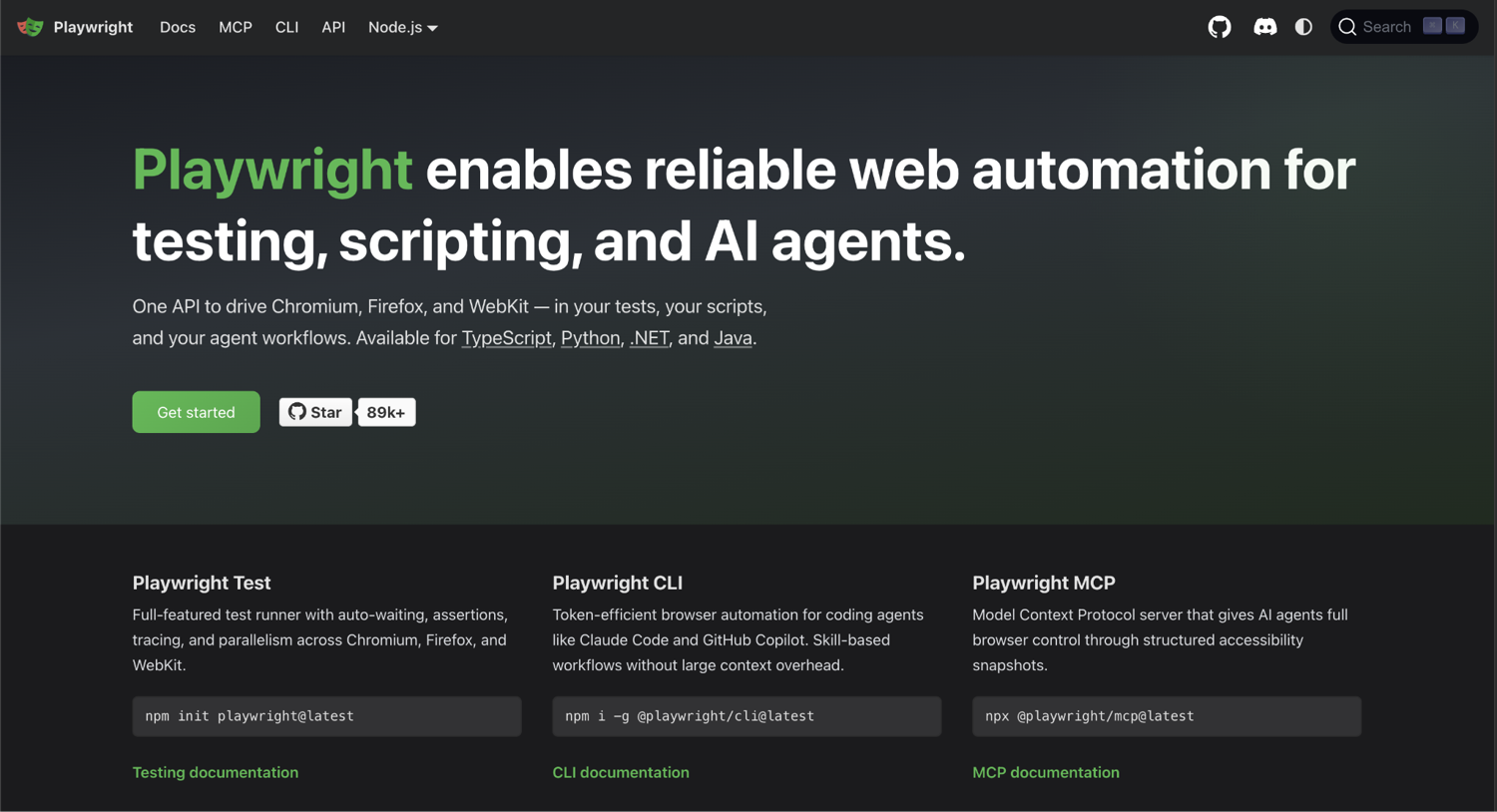
Playwright is a comprehensive, cross-browser testing and automation tool that offers broad language support and multi-tab handling.
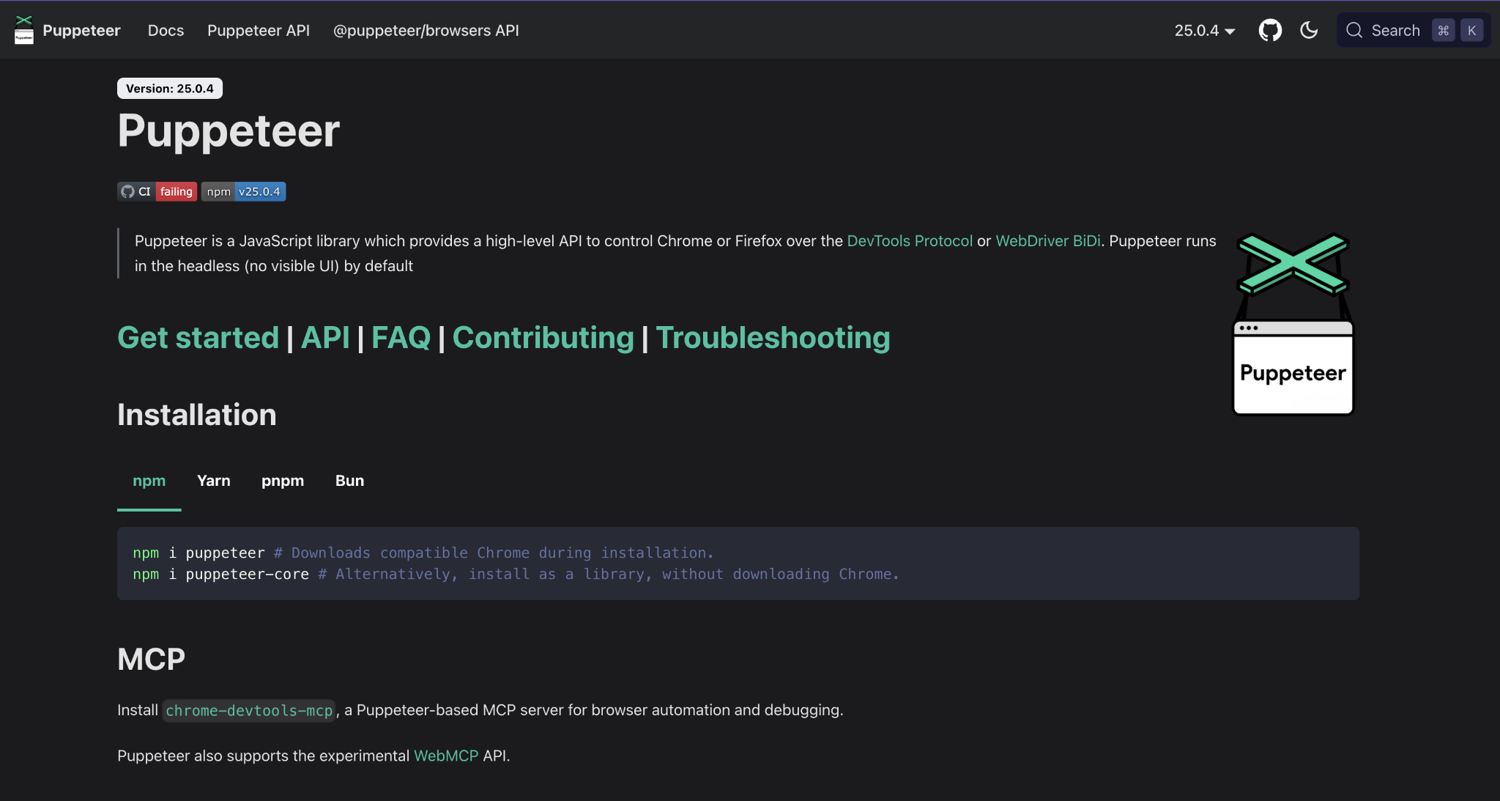
Puppeteer is Google's older, JavaScript-focused tool built primarily for Chrome/Chromium.
Here's what you need to know:
| Playwright | Puppeteer | |
|---|---|---|
| Maintained by | Microsoft | Google (Chrome team) |
| Browsers supported | Chromium, Firefox, WebKit | Chromium and Firefox (first-class as of v23) |
| Wait strategies | Auto-waiting locators, native event timeouts | Explicit waitForSelector / waitForFunction |
| Browser contexts (isolated sessions) | First-class, lightweight | Possible via incognito, less ergonomic |
| Stealth plugin ecosystem | Smaller, growing | Larger and the most mature in the ecosystem (puppeteer-extra-plugin-stealth) |
| Bundle size | Heavier (one browser engine per platform) | Lighter (Chromium only) |
| When to reach for it | New projects, cross-browser testing, anything where wait strategies matter | Chromium-only work, mature stealth requirements, lightest footprint |
Playwright is the default for new projects. It's actively developed, the locator API takes the most painful class of bugs (race conditions on dynamic content) and largely solves them, and browser contexts make session isolation trivial. These are all useful when you're scraping multiple accounts or rotating cookies.
Puppeteer is still the right pick when:
- You're Chromium-only and don't want to ship a multi-browser binary
- You depend on puppeteer-extra-plugin-stealth, which remains one of the most reliable bot-detection bypasses in the open-source world
- You're inheriting a Puppeteer codebase and rewriting it for Playwright buys you nothing concrete.
For everything else, start with Playwright.
3. Scrape with Playwright first
Start by installing Playwright:
npm install playwright
npx playwright install chromium
The second command downloads Chromium. It's a one-time ~150MB hit. Without it, your script will throw on chromium.launch().
Same target as before: quotes.toscrape.com/js/.
This time our Playwright scraper returns the quotes:
import { chromium } from 'playwright';

const browser = await chromium.launch();
const page = await browser.newPage();

await page.goto('https://quotes.toscrape.com/js/');
await page.waitForSelector('.quote');

const quotes = await page.$$eval('.quote', (els) =>
  els.map((el) => ({
    text: el.querySelector('.text')?.textContent,
    author: el.querySelector('.author')?.textContent,
  }))
);

console.log(`scraped ${quotes.length} quotes`);
console.log('first quote shape:', { text: '"...full quote text..."', author: '...' });
await browser.close();
// scraped 10 quotes
Four things worth knowing:
(1) page.waitForSelector('.quote') is the line you'll forget once and then never forget again. page.goto() returns when the initial HTML load completes, not when the page's JavaScript has finished mutating the DOM.
Without waitForSelector, your $$eval runs against the still-empty shell and returns an empty array. Playwright's locator API (which we'll touch on below) auto-waits by default, but the lower-level $$eval does not.
(2) page.$$eval(selector, fn) runs fn inside the page's own JavaScript context. The function receives the matched elements as a real Element[] and returns whatever you serialize back. This is faster than pulling the HTML and re-parsing it in Node, and it uses the same DOM API you'd write in DevTools.
(3) Browser contexts are Playwright's win over Puppeteer for stateful scraping. Each browser.newContext() is an isolated browsing session: its own cookies, storage, history. If you're scraping multiple accounts or testing how a page behaves for logged-in vs. anonymous users, a per-session context is the clean way to do it. For one-shot scraping like this demo, browser.newPage() is enough.
(4) Locators are the modern Playwright API. page.locator('.quote').all() returns auto-waiting handles you can chain operations on, including .evaluateAll() for the same job $$eval does. For greenfield scrapers, locators are the recommended approach. I used $$eval here because it maps 1:1 to the Puppeteer equivalent below, which makes the comparison easier to read.
4. Switch to Puppeteer when stealth is the constraint
Puppeteer auto-downloads Chromium during npm install:
npm install puppeteer
There's no extra step.
Here's the same scraper, Puppeteer flavor:
import puppeteer from 'puppeteer';

const browser = await puppeteer.launch();
const page = await browser.newPage();

await page.goto('https://quotes.toscrape.com/js/');
await page.waitForSelector('.quote');

const quotes = await page.$$eval('.quote', (els) =>
  els.map((el) => ({
    text: el.querySelector('.text')?.textContent,
    author: el.querySelector('.author')?.textContent,
  }))
);

console.log(`scraped ${quotes.length} quotes`);
await browser.close();
// scraped 10 quotes
The only real difference from the Playwright version is the import and the launcher. Playwright was built by the same engineering team that originally created Puppeteer at Google (they moved to Microsoft and started Playwright there). So, the page-level APIs are nearly identical. Migrating one direction or the other is mostly a search-and-replace job.
The Puppeteer case that still earns its dependency is stealth scraping. puppeteer-extra plus puppeteer-extra-plugin-stealth is the open-source gold standard for evading bot detection: masking the headless browser fingerprint, faking navigator.webdriver, rotating canvas hashes, the whole package.
Playwright has community equivalents but none with the same maturity. If you've already tested that your scraper gets blocked by the stealth-relevant signals (we'll get to those later), Puppeteer plus stealth is the path of least resistance.
5. Scale to thousands of pages with concurrency in Node.js
How to crawl a website using JavaScript at scale starts simple and gets gnarly fast. The naive approach is to wrap the whole thing in a loop. That works until you've got more than a few hundred pages.
Sequentially, you're paying full page-load latency on every fetch. Spawning one browser per page eats your machine's memory long before you reach 10,000.
The pattern that I've seen scale is one browser, many pages, bounded concurrency:
p-limit gives you the bound.
To get started, we install p-limit:
npm install p-limit
Now the loop:
import { chromium } from 'playwright';
import pLimit from 'p-limit';

const urls = Array.from({ length: 5 }, (_, i) =>
  `https://quotes.toscrape.com/js/page/${i + 1}/`
);

const browser = await chromium.launch();
const limit = pLimit(3); // 3 pages in flight at once

const results = await Promise.all(
  urls.map((url) =>
    limit(async () => {
      const page = await browser.newPage();
      try {
        await page.goto(url);
        await page.waitForSelector('.quote');
        return await page.$$eval('.quote', (els) =>
          els.map((el) => ({
            text: el.querySelector('.text')?.textContent,
            author: el.querySelector('.author')?.textContent,
          }))
        );
      } finally {
        await page.close();
      }
    })
  )
);

const allQuotes = results.flat();
console.log(`scraped ${allQuotes.length} quotes across ${urls.length} pages`);
await browser.close();
// scraped 50 quotes across 5 pages
One browser instance, many pages. A Chromium process is the expensive part. Tabs (pages) inside it are cheap. The whole point of the pattern is reusing the browser.
Three things in this pattern earn their place:
(1) pLimit(3) caps how many pages run at once: Three is a reasonable starting point for any target you don't own. Bump it to 10 if the target is your own staging environment. Push past 20, and you're hammering. Most production sites will throttle, block, or fingerprint you.
(2) try { ... } finally { await page.close(); }: This is the line that turns a scraper that runs for an hour into one that runs for ten hours. Pages don't get garbage-collected the way regular JavaScript objects do. If a scraper page throws and you don't close it, you leak a tab. Leak enough tabs and the browser crashes. Always close pages in finally.
(3) quotes.toscrape.com/js/ only has 10 pages of 10 quotes: I verified, and pages 11+ return an empty rendered shell, not a 404. For real pagination at scale, you'd parse the "next" link off each page and stop when it's missing, or detect the empty-result page and break the loop. The pattern above is the shape. The stop condition is target-specific.
There's an honest cost to all of this. Even with concurrency tuned right, scraping thousands of pages through a headless browser is 30 to 90 minutes of wall time, several gigabytes of bandwidth, and a meaningful amount of CPU and memory.
Every blocked request, every CAPTCHA, every TLS fingerprint mismatch is your problem to handle. The next section is the honest list of what those problems look like, which sets up the question of when you stop building this infrastructure yourself.
How to avoid getting blocked while web scraping with JavaScript
To be honest, every scraper I've shipped once broke down due to one of four things:
- Transient network errors I didn't catch on time
- IP blocks I didn't see coming
- Bot-detection signals I didn't mask
- CAPTCHAs I couldn't get past
This section is the honest cost of handling each of them yourself.
1. Catch errors and retry without crashing your scraper
This is the line most scrapers ship without and pay for later. Networks drop, servers return 503s under load, and Cloudflare can return 522s when its origin times out. Without retry handling, every one of these kills your scraper mid-run, and you lose everything since the last checkpoint.
The pattern that works is a small wrapper around fetch that retries on network errors and 5xx responses with exponential backoff, honors Retry-After on 429s, and gives up immediately on permanent 4xx codes. This is because retrying a 404 forever won't find the missing page.
Here's what that looks like:
async function fetchWithRetry(url, options = {}, maxAttempts = 4) {
  for (let attempt = 1; attempt <= maxAttempts; attempt++) {
    try {
      const res = await fetch(url, options);
      if (res.ok) return res;

      // Permanent 4xx (except 429): don't retry
      if (res.status >= 400 && res.status < 500 && res.status !== 429) {
        throw new Error(`HTTP ${res.status} (permanent) for ${url}`);
      }

      // 429: honor Retry-After
      if (res.status === 429) {
        const retryAfter = parseInt(res.headers.get('retry-after')) || 60;
        console.log(`429 on ${url}, waiting ${retryAfter}s`);
        await new Promise((r) => setTimeout(r, retryAfter * 1000));
        continue;
      }

      console.log(`HTTP ${res.status} on ${url}, attempt ${attempt}/${maxAttempts}`);
    } catch (err) {
      if (err.message.includes('permanent')) throw err;
      console.log(`network error on ${url}: ${err.message}, attempt ${attempt}/${maxAttempts}`);
    }

    // Exponential backoff: 1s, 2s, 4s, capped at 30s
    if (attempt < maxAttempts) {
      const delay = Math.min(1000 * 2 ** (attempt - 1), 30000);
      await new Promise((r) => setTimeout(r, delay));
    }
  }
  throw new Error(`failed after ${maxAttempts} attempts: ${url}`);
}
Here, there are three judgment calls worth defending.
(1) Why exponential backoff and not constant delay: Constant delay either burns time on the easy retries or gives up too quickly on the hard ones. Exponential (1s, 2s, 4s, 8s) gets the transient stuff back fast and gives the overloaded targets time to recover.
(2) Why distinguish 429 from 5xx: 429 means the target is telling you exactly how long to wait. Honoring Retry-After is the difference between "good citizen scraper" and "scraper that gets banned for ignoring the polite rate-limit signal."
(3) Why fail fast on permanent 4xx: A 404 is not going to become a 200 in 8 seconds. A 401 isn't either. Retrying these wastes your concurrency budget and obscures the actual problem in your logs.
Wrap your scraping calls in fetchWithRetry instead of raw fetch, and you've removed the entire class of bugs that look like "the scraper ran for an hour and then crashed on a transient blip."
2. Rotate proxies and IP addresses to dodge rate limits
One IP equals one rate-limit envelope. Hit a site hard enough from one address, and you get throttled, then blocked, then fingerprinted. The fix is to send requests through a pool of addresses so that no single address appears to be the same source.
You should know about two flavors of proxy:
- Datacenter proxies: These are cheap (a few dollars per million requests) but easy to detect. Most anti-bot vendors maintain blocklists of known datacenter IP ranges. Use these for low-value targets that don't actively defend.
- Residential proxies: These route through real consumer ISPs, so the requests appear to come from ordinary home users. Way harder to detect, ten to fifty times more expensive, and almost always the right pick for any target that takes blocking seriously.
Using a proxy with native fetch requires undici's ProxyAgent (undici ships with Node, so no extra install):
import { ProxyAgent } from 'undici';

const proxyAgent = new ProxyAgent('http://user:pass@proxy.example.com:8080');

const res = await fetch('https://target.com', {
  dispatcher: proxyAgent,
});
With Playwright, the proxy is a launch option:
import { chromium } from 'playwright';

const browser = await chromium.launch({
  proxy: {
    server: 'http://proxy.example.com:8080',
    username: 'user',
    password: 'pass',
  },
});
The code is the easy part. Managing a proxy pool is the project. Dead proxies, geographic targeting, sticky sessions for stateful flows, rotation per request vs per session, retry-on-proxy-failure logic.
Most teams I've seen end up buying from a proxy provider rather than building this themselves. This is because the proxy market is mature and the rotation logic is where the actual maintenance burden lives.
3. Beat bot detection (headers, TLS fingerprints, behavioral signals)
Modern bot detection runs in three layers.
Defeating all three takes work that compounds over time.
Headers
The default Node fetch User-Agent is a giveaway (node). Most sites filter on UA alone, and you'll get a 403 before anything else.
You should set a realistic one:
const res = await fetch(url, {
  headers: {
    'User-Agent':
      'Mozilla/5.0 (Macintosh; Intel Mac OS X 10_15_7) AppleWebKit/537.36 ' +
      '(KHTML, like Gecko) Chrome/126.0.0.0 Safari/537.36',
    'Accept': 'text/html,application/xhtml+xml,application/xml;q=0.9,*/*;q=0.8',
    'Accept-Language': 'en-US,en;q=0.5',
  },
});
That gets you past the cheapest filters. It does not get you past anything serious.
TLS handshake fingerprints (JA3/JA4 are the common formats)
Every HTTPS client has a distinct TLS handshake signature. Chrome's signature, Node's signature, and cURL's signature all look different to a server that's paying attention.
Cloudflare and Akamai both fingerprint at this layer. Headless Chrome via Playwright or Puppeteer already produces a Chrome-shaped handshake, which is one of the strongest reasons to use a headless browser for blocking-sensitive targets even when the page is static HTML.
For pure-fetch scrapers, the workaround is tools like curl-impersonate that replicate browser TLS fingerprints exactly, but you've now added a non-trivial dependency.
Behavioral signals
Real users move the mouse, scroll erratically, focus inputs before typing, take seconds to click. Headless browsers go straight to the data extraction in 50ms. The puppeteer-extra-plugin-stealth package handles many of the obvious tells (faking navigator.webdriver, patching canvas fingerprints and rotating WebGL parameters).
Playwright has community equivalents, but as I mentioned in the comparison table, the Puppeteer stealth ecosystem is more mature.
The honest take on all of this: bot detection is an arms race, and you're on the side with fewer engineers. You can win the rounds you fight, but every change at Cloudflare or DataDome's end is a fresh debugging session at yours.
4. Solve CAPTCHAs (and decide if solving them is worth the cost)
You have three manual options when a CAPTCHA shows up. Two of them are worth the maintenance. You should consider one of them first.
Avoid the CAPTCHA entirely
This is the option most people skip and then regret. CAPTCHAs almost always trigger on a bot-detection signal before the actual challenge fires. Good fingerprinting (realistic headers, a residential proxy, a headless browser with stealth patches, and behavioral pacing) prevents the challenge from appearing in the first place.
The cheapest CAPTCHA is the one your scraper never sees.
Use a solver service
2Captcha, Anti-Captcha, CapMonster, and their competitors run pools of human (and increasingly ML) solvers. You pay a few dollars per 1,000 reCAPTCHA solves, send them the challenge, get the token back, and submit it through your headless browser.
The latency cost is real (15 to 60 seconds per CAPTCHA), and your scraper's effective throughput drops the moment you're routinely solving.
Solve them yourself with ML
Technically interesting, rarely the right call. Modern CAPTCHAs use behavioral telemetry alongside the visual challenge, which means cracking the image is only part of the problem. Spending engineering time here usually means you should have invested it in fingerprinting instead.
The rule that's served me well: if you're consistently hitting CAPTCHAs, your fingerprint is wrong, not your solver. Fix the upstream signals and the challenges go away.
5. Recognize when DIY JavaScript web scraping stops being worth it
There's a point on every scraping project where the math flips. The maintenance cost of the proxy pool, the retry handlers, the User-Agent rotation, the headless browser farm, the CAPTCHA budget, and the on-call rotation for when a target site changes its bot signals overnight.
All of that starts to outweigh the cost of paying someone else to do it.
When DIY scraping is still the right call
Three cases where you can do just fine without extra help:
- One-off scrapes against a single non-blocking page: Cheerio plus fetch is two lines. Adding a managed API hop is overhead for a job that doesn't need it.
- Internal sites or your own staging: No proxies needed, no bot detection to evade. Just talk to the site directly from your scraper.
- Tightly-coupled custom parser work. If you're chasing edge cases that need full control of the parse tree, you want Cheerio (or jsdom) and the raw HTML, not a JSON envelope. You can still use ScrapingBee just for proxy + render, then parse locally, but that's a narrower use case than the API's typical sweet spot.
The honest test is whether the maintenance cost of building the blocking-avoidance stack yourself exceeds the per-request cost of having it built for you. For most one-off jobs, it doesn't.
Signs that you've outgrown DIY scraping and look for a web scraping API
From what I've seen at scale, here are the signals you should look for:
- You're spending more than a few hours a week debugging blocks instead of improving the data pipeline
- Your proxy and CAPTCHA bill has crept into the high-three-figure range per month
- You've built (or are about to build) a small rotation of engineers to keep the scrapers alive
- One small change at a target site cascades into rewriting selectors and retesting the entire blocking stack
When two or more of those are true, the ROI math on building your own scraping infrastructure has flipped. The next section is what one of those managed alternatives (a web scraping API like ScrapingBee) handles for you, and the concrete workflows where the math flips fastest.
How ScrapingBee handles web scraping with JavaScript and other languages
Most of what the last section covered is what a managed scraping API takes off your plate.
ScrapingBee is one of those APIs. As an avid user myself, I'll be honest about what it handles. This section is each of the five places it earns its dependency.
Real workflows where ScrapingBee earns its keep
The "scraping at scale" framing in most product pages is too vague to act on.
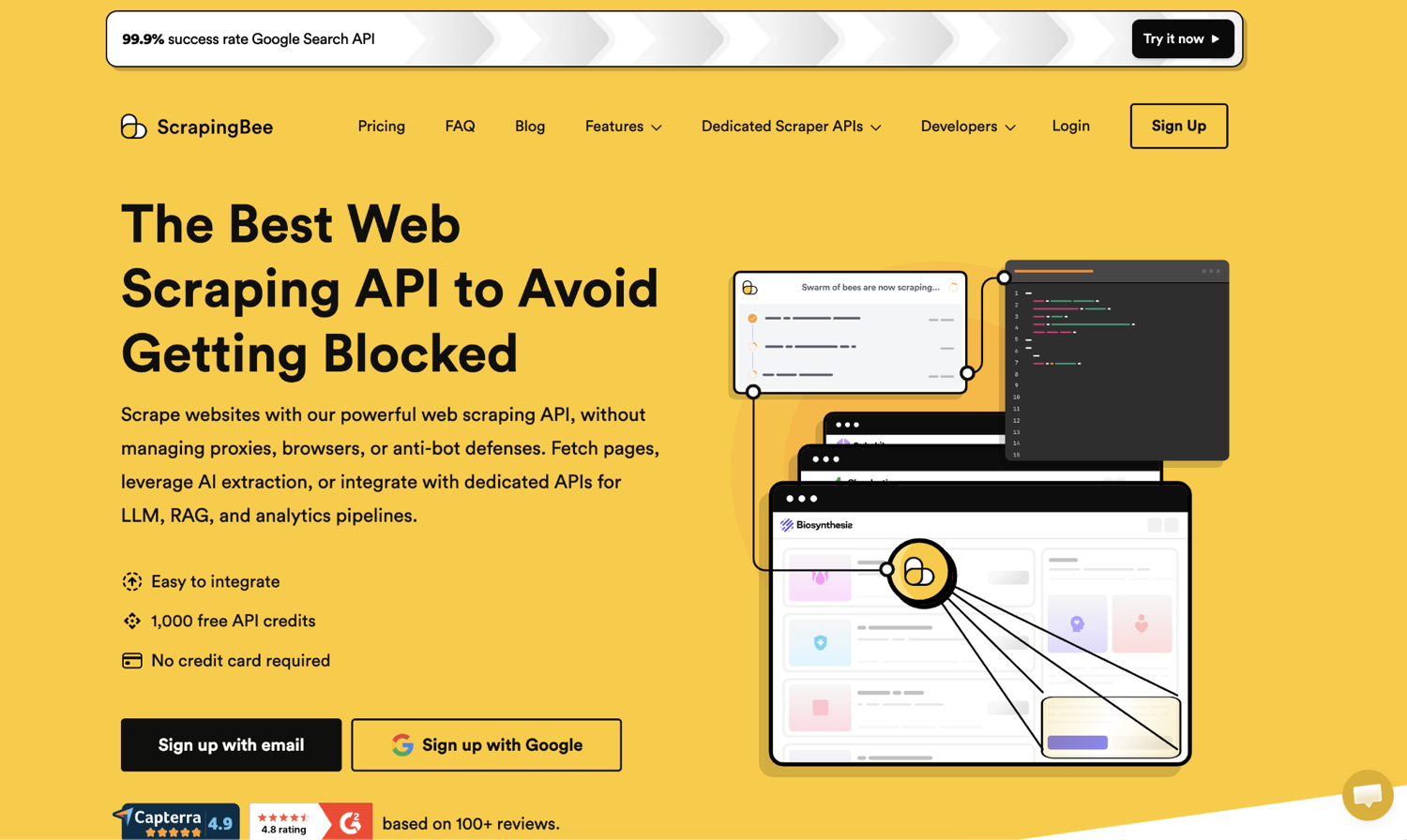
Here are four workflows where I've seen the math clearly flip toward a managed API, and what, specifically, gets harder if you build them yourself.
(1) Ecommerce price monitoring across competitors: Suppose you're a direct-to-consumer (DTC) brand tracking 50 competitor product pages daily for price and stock changes. Maintaining 50 scrapers means maintaining 50 proxy configurations, 50 retry policies, 50 selector inventories.
(2) Sales and GTM lead enrichment: Imagine your sales ops team has a list of 5,000 inbound leads and wants to enrich them with public company pages or LinkedIn signals before assignment.
Spinning up a Playwright farm with residential proxies and stealth patches for a weekly batch job is the kind of infrastructure that costs more to maintain than it returns.
(3) AI agents reading live web data: You're building a research agent that pulls fresh sources at query time, or a customer support agent that reads the customer's actual product docs in real time.
This is the workflow that's grown fastest in the last 18 months and the one where the per-request cost matters least, because you're paying it inline with high-value user interactions.
(4) Fintech and cybersecurity monitoring: Time-sensitive feeds where reliability matters more than throughput. Broker page prices, regulatory filings, security advisories. A blocked scraper at the wrong moment is a missed alert.
The pattern across all four: the value isn't in writing the scraper. It's in shipping the system that uses what the scraper returns. In my experience, anything that moves engineering hours from the first to the second is a win.
Using ScrapingBee with native fetch (drop-in code in under 10 lines)
The API is one HTTP endpoint. You pass your API key and the target URL as query parameters. You get the page HTML back. No client library to import. No auth flow.
It's that simple:
const SCRAPINGBEE_KEY = process.env.SCRAPINGBEE_API_KEY;

const params = new URLSearchParams({
  api_key: SCRAPINGBEE_KEY,
  url: 'https://books.toscrape.com/',
});

const res = await fetch(`https://app.scrapingbee.com/api/v1/?${params}`);
const html = await res.text();

console.log(`fetched ${html.length} bytes`);
// fetched 51295 bytes
Eight lines. Proxy rotation, retry logic, header normalization and the entire avoid-getting-blocked checklist are handled. Drop this into your existing Cheerio pipeline, and you've replaced the entire blocking-avoidance stack with one HTTP call.
For JavaScript-rendered pages (the dynamic-pages case), add render_js: 'true' to the params:
const params = new URLSearchParams({
  api_key: SCRAPINGBEE_KEY,
  url: 'https://quotes.toscrape.com/js/',
  render_js: 'true',
});
The API runs a headless browser server-side and returns the post-render HTML. Same response shape, just with the JavaScript-built content included. This is the line where you stop running Playwright on your own infrastructure.
Extracting structured data with CSS selectors (skip Cheerio entirely)
ScrapingBee's extract_rules parameter lets you describe what you want in CSS selectors and get clean JSON back, without ever loading Cheerio.
The selectors are the same selectors you'd use locally:
const extractRules = {
  texts: { selector: '.quote .text', type: 'list' },
  authors: { selector: '.quote .author', type: 'list' },
};

const params = new URLSearchParams({
  api_key: SCRAPINGBEE_KEY,
  url: 'https://quotes.toscrape.com/js/',
  render_js: 'true',
  extract_rules: JSON.stringify(extractRules),
});

const res = await fetch(`https://app.scrapingbee.com/api/v1/?${params}`);
const data = await res.json();

console.log(`${data.texts.length} quotes returned`);
// 10 quotes returned
The output is exactly the shape you asked for.
That single request did three things at once:
- Ran a headless browser
- Parsed the rendered DOM with the selectors I gave it
- Returned the result as JSON
The local equivalent would have been a Playwright launch, a waitForSelector, a $$eval, and probably an error-handling wrapper around the whole thing.
The honest tradeoff: you give up flexibility. extract_rules covers list extraction, attribute pulls, and nested objects. But if you need to reshape the data, follow links, or run conditional logic per element, you're back to fetching the HTML and parsing it locally.
For most "give me the prices off the page" workflows, that flexibility is overhead you weren't using anyway.
AI extraction for messy or constantly-changing pages
CSS selectors break when the page markup changes. Some pages change weekly (competitor sites A/B-testing layouts), some change per-instance (category aggregators with hundreds of slightly different product templates), and some don't have a stable structure to begin with.
For those cases, ScrapingBee's ai_extract_rules lets you describe fields in plain English and the AI does the selector work for you:
const aiRules = {
  title: 'the book title',
  price: 'the book price as a number',
  in_stock: 'true if the book is in stock, false otherwise',
};

const params = new URLSearchParams({
  api_key: SCRAPINGBEE_KEY,
  url: 'https://books.toscrape.com/catalogue/a-light-in-the-attic_1000/index.html',
  ai_extract_rules: JSON.stringify(aiRules),
});

const res = await fetch(`https://app.scrapingbee.com/api/v1/?${params}`);
const data = await res.json();

console.log(data);
// { title: "A Light in the Attic", price: 51.77, in_stock: true }
I tested every snippet in this section against the live ScrapingBee API. The ai_extract_rules output above (price: 51.77, in_stock: true) is the exact JSON I received, and there are two things worth noting.
The price came back as a number (51.77), not the raw string "£51.77". The in_stock came back as a boolean. The AI is doing type coercion based on the description you wrote. CSS selectors can't do that. You'd be writing the parseFloat() and the string-comparison logic yourself.
There's a sibling parameter called ai_query that takes a natural-language prompt instead of a structured object, useful when you don't care about predictable key names. For production pipelines, I'd reach for ai_extract_rules because the key names are stable.
Automate your web scraping with ScrapingBee
If you've made it this far, you've seen the full cost of production scraping. Retry handlers, proxy pools, TLS fingerprint workarounds, CAPTCHA budgets, an on-call rotation for the next time a target site changes its bot signals overnight. None of that is the work you set out to do. You wanted the data, not the infrastructure underneath it.
Here's how ScrapingBee handles the infrastructure so your code stops carrying it:
- Premium proxy rotation: Residential and data center IPs rotated on request, with geotargeting when you need it.
- JavaScript rendering: Full Chromium environment for React, Vue, and Next.js sites in a single API call.
- CSS-selector extraction (extract_rules): Describe what you want in selectors, get back clean JSON without local parsing.
- AI extraction (ai_extract_rules): Pull structured data from messy markup using plain English, with automatic type coercion.
- Bot-detection bypass: CAPTCHA solving, TLS fingerprint normalization, and stealth headers handled before your request returns.
Explore ScrapingBee's free tier to see what your scraper looks like without the underlying infrastructure.
Frequently asked questions on web scraping with JavaScript
Can I scrape React or Next.js sites with Cheerio?
No. Cheerio is an HTML parser, not a JavaScript runtime. When you fetch a React, Vue, or Next.js page, the server typically sends an empty shell, and JavaScript builds the actual content after the browser loads the page. Cheerio never runs that JavaScript, so it sees the shell and returns nothing useful. Use Playwright or Puppeteer for client-rendered sites (or ScrapingBee if you'd rather not run a headless browser yourself).
What's the fastest way to scrape thousands of pages with Node.js?
One headless browser instance, many pages, bounded concurrency. Use p-limit to cap concurrent fetches at 3-10 depending on how aggressively the target throttles. Reuse a single chromium.launch() across pages, and wrap each scrape in try/finally { await page.close() } so leaked tabs don't crash your run. You can also use a managed API service like ScrapingBee to do it for you.
Do I still need Axios for web scraping?
For most scraping, no. Native fetch ships with Node 18 LTS and later, handles 90% of scraping calls cleanly, and has no dependency cost. Reach for Axios when you specifically need its interceptor pattern (centralized auth, logging, request/response transforms), when you're writing code that needs to behave identically in browser and Node, or when you're already in an Axios codebase and adding a second HTTP library is just noise.
How do I handle CAPTCHAs in Node.js?
Avoid them first. Most CAPTCHAs trigger on bot-detection signals (default Node User-Agent, mismatched TLS fingerprint, headless-browser behavioral signature) before the challenge itself fires. Fix the upstream with realistic headers, residential proxies, and stealth patches, or skip the maintenance and let ScrapingBee handle proxies, fingerprints, and solving in one API call.
Is web scraping with JavaScript legal?
Generally yes, with real caveats that vary by jurisdiction and target. Scraping publicly accessible data is broadly legal in the US and EU. Scraping behind a login or paywall typically isn't (it can violate the site's terms of service and, in some jurisdictions, statutes such as the CFAA). Respect robots.txt where the target's terms require it, throttle politely so you're not effectively DDoS-ing, and think hard about privacy law (GDPR, CCPA) before scraping personal data.